
Pyth4PI for PixInsight
IMPORTANT:
Pyth4PI was removed on October 25, 2026, fifteen days after it was released on October 10. There is nothing here to download.
Two days after the Pyth4PI release, Pleiades Astrophoto, the company behind PixInsight, published new rules for PixInsight developers that made Pyth4PI impossible to comply, such as not being allowed to run scripts from other programs, which literally defines what Pyth4PI offered to all PixInsight users.
Here at Deep Sky Colors, we value our relationship with PixInsight and we believe we can still add a lot of value to existing and prospect PixInsight users with our other existing and new tools. Therefore, we agreed without hesitation to abide by the new rules, and consequently, stop distribution in any form of Pyth4PI – this includes binaries, source code, or anything directly related to Pyth4PI.
There is nothing in this page leading to downloading Pyth4PI – it’s gone – and no page in this web site leads to here. But we keep the page because we worked very hard on the project, spent many hours on it, and we wanted to at least leave a testimony of our short-lived project.
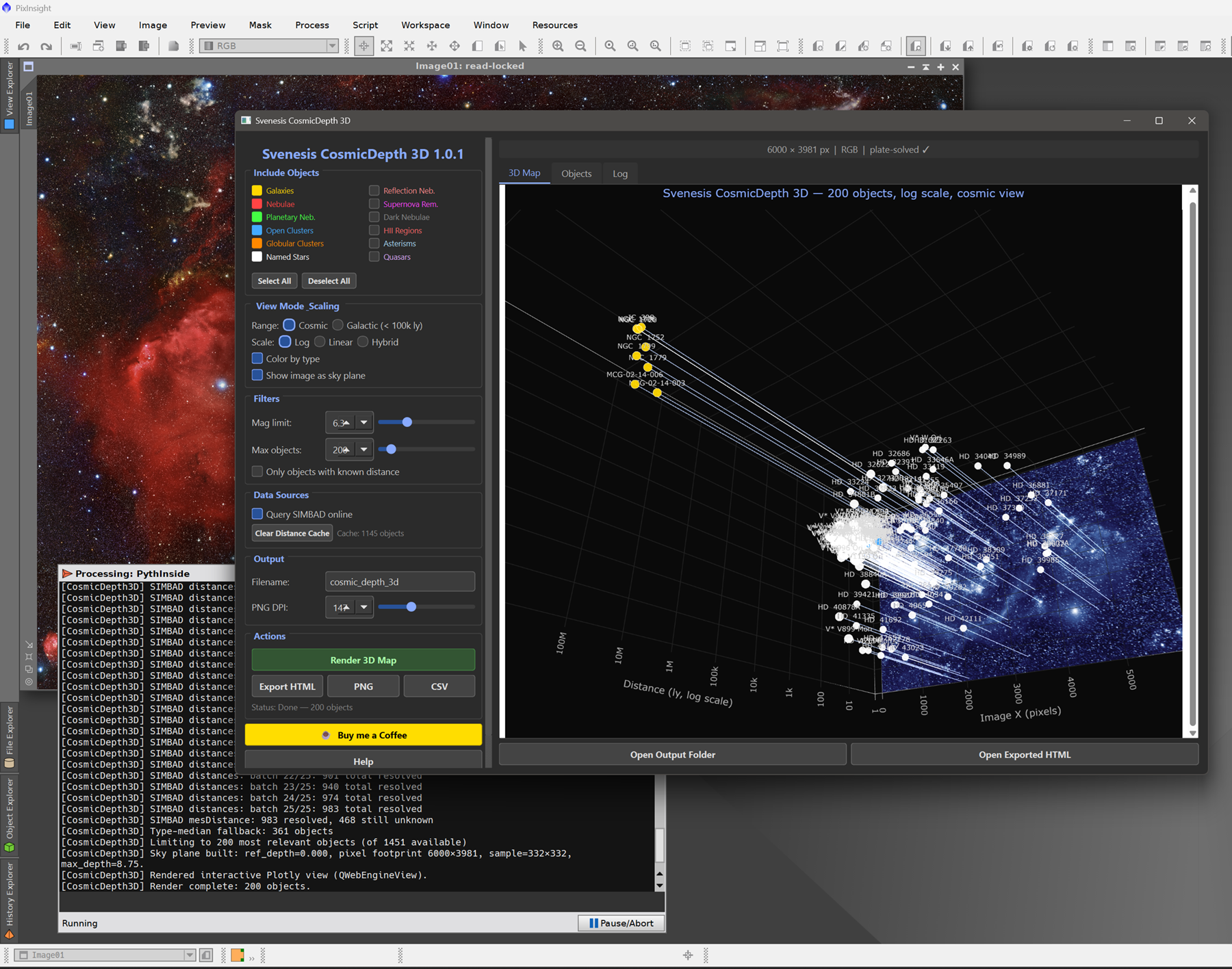
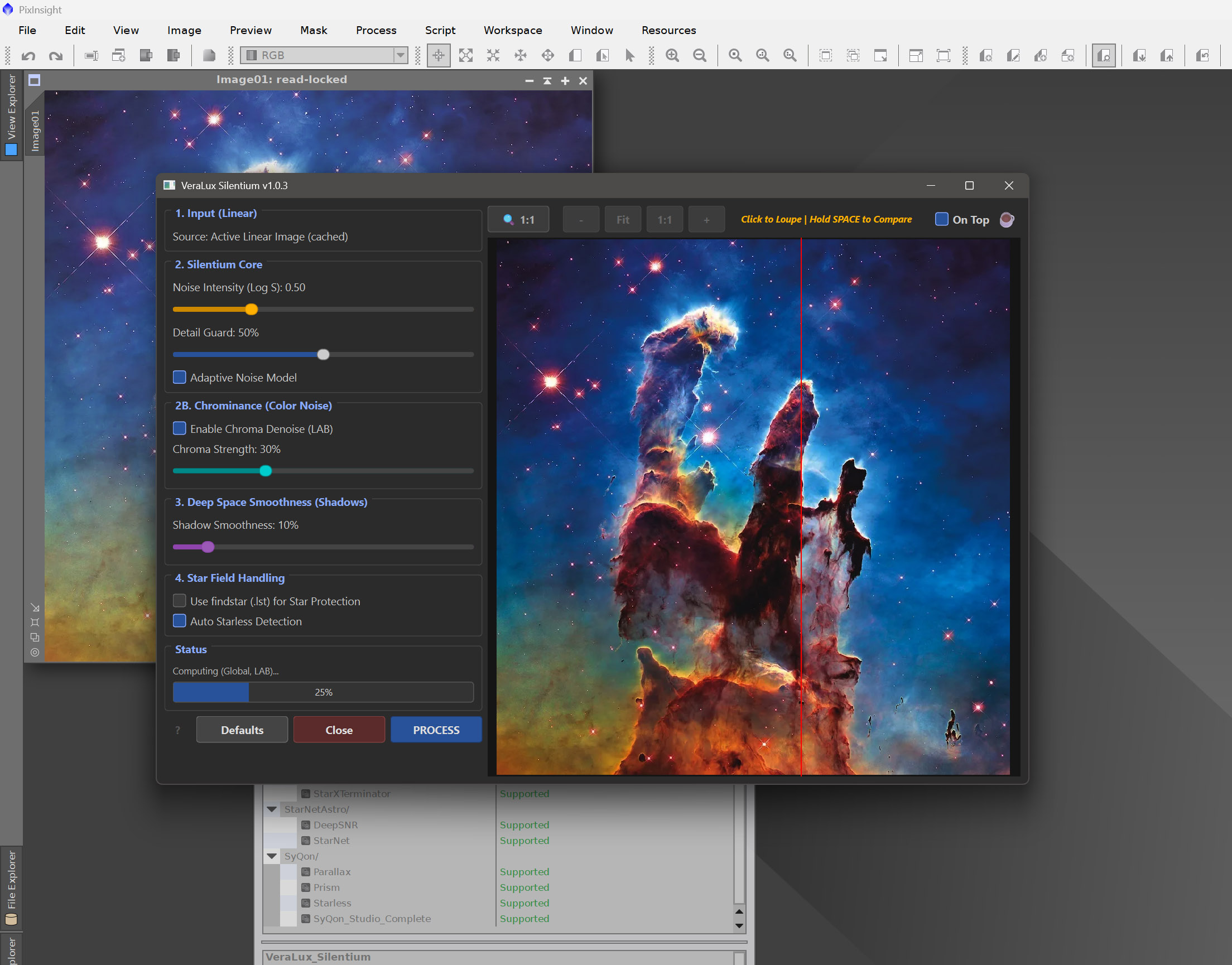
Left: Siril’s Svenesis CosmicDepth 3D script running inside PixInsight. Right: Veralux Silentium.
Like that, more than 60 supported official Siril scripts!
 Welcome to Pyth4PI!
Pyth4PI runs Python scripts written for Siril (the free astronomical image processing program) on PixInsight images, and opens the possibility to write scripts in Python that run on PixInsight. The Siril scripts run as they are: nothing needs to be ported, converted or edited.
Pyth4PI effectively gives us access to dozens of scripts, many of them not available for PixInsight: Statistical_Stretch, SCUNet_Denoise, NB_2_RG, the entire Svenesis and Veralux collections of scripts, NarrowbandNormalization, Galaxy_Annotations and over 60 more.
Pyth4PI also unlocks the possibility to run Python scripts in general in PixInsight. All we need to do is write them as if they were for Siril, and our script will run in both, Siril and PixInsight.
Not only the entire arsenal of Python tools and libraries is at our disposal (numpy, scipy, OpenCV, onnx, and a long etc) while maintaining Siril and PixInsight compatibility, Pyth4PI also adds a small set of python commands we can use to call PixInsight processes from Python. This, however, would make the scripts to break in Siril, but if we want to use Python with PixInsight processes, we can. Besides those commands, Pyth4PI does not and will not offer any kind of API between PixInsight and Python. That would be a core feature that should only be carried by the PixInsight development team, in the event they decided to go for it.
Pyth4PI does not offer support for Siril preprocessing scripts. Preprocessing is another functionality “core” to the program’s identity that we feel should be left alone. Besides, there is no reason to calibrate our frames with Siril scripts while using PixInsight. Just use PixInsight’s excellent tools!! And if we must calibrate using Siril, then the best thing would be to run Siril and do it there, if we must. What we can do is write Python scripts that use PixInsight’s calibration tools, for example.
Good to know: Some scripts generate an error the first time, during their package updates – this is normal, don’t report it: try closing and running it again. It should work. If you’re going to read anything, let that be the five bullets in Chapter 7 of Pyth4PI’s Documentation. and the first few bullets in Chapter 7. Other scripts require downloading a ML model that could take some time to download, and a few commercial scripts ask for a license. All that is between you and the authors of the scripts.
Pyth4PI requires Python 3.10 or later. Python 3.12 is currently the sweet spot. Everything else is handled by Pyth4PI.
We should only run the scripts served by Pyth4PI (Siril’s official repository), and scripts that we trust.
- Run PixInsigth with Pyth4PI already installed, and run PROCESS > DeepSkyColors > Pyth4PI.
- Click “Set up…“. If Python is missing, install it (python.org) and start over.
- Click “Get Siril icons“.
- Open an image.
- Double click the GPU Manager script at the top, wait a while, and install the recommended ONNX Runtime and PyTorch (Siril users need to do this too).
- Close the GPU Manager.
- Double click any script. It will start to download some Python packages, just as it would do the same in Siril – once downloaded, this step is skipped. Some scripts may take a minute or more during their first run. Again, this is normal.
- Use the script. Changes are only applied when we exit the script. When a script offers a temporary “See it in Siril” or “Apply” button, the effect is applied, despite the image is not being updated. Once we close the script, it will update.
Enjoy!
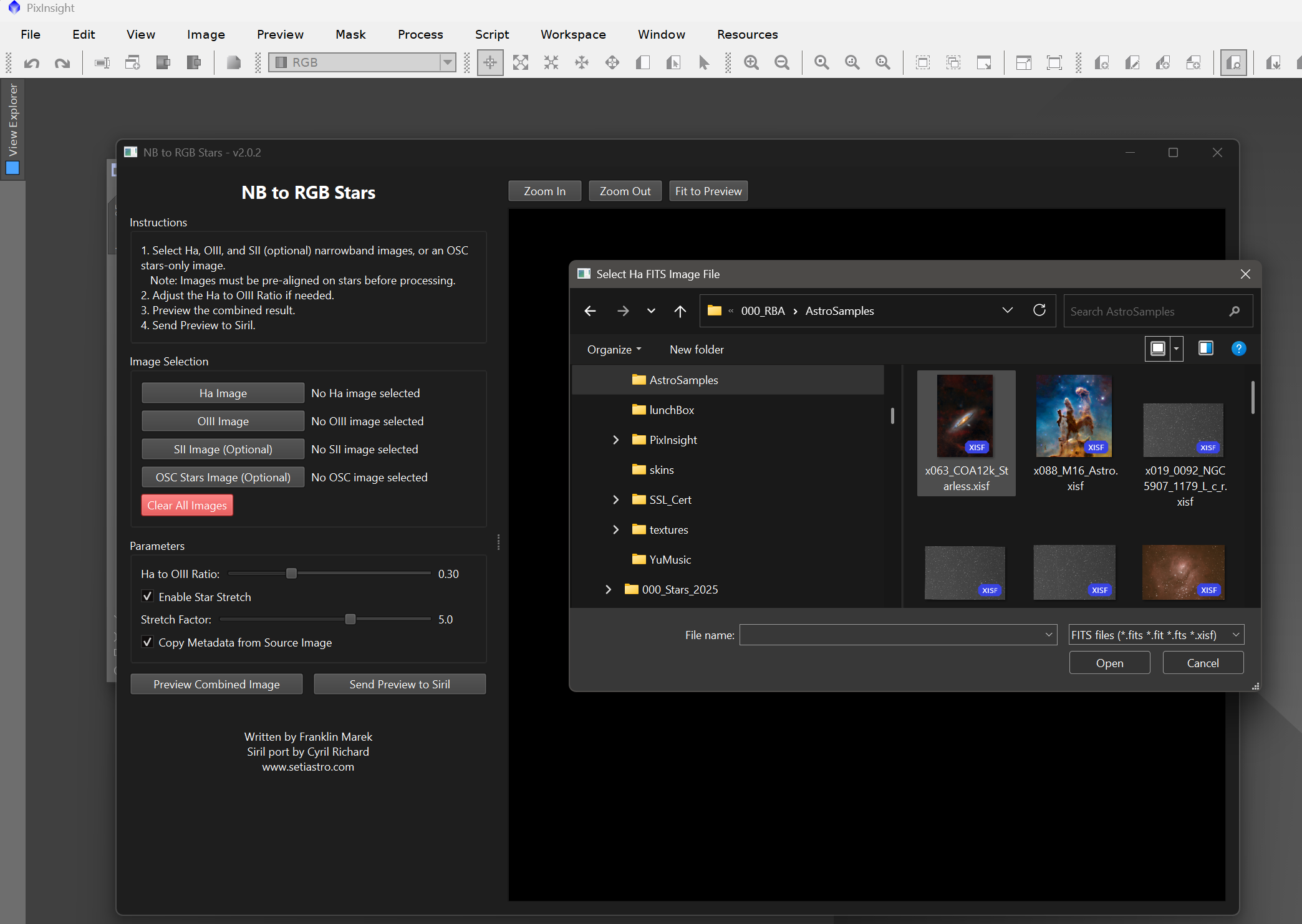
With Pyth4PI, Siril scripts in PixInsight can load XISF files, even when the scripts only request and accept FITS.
Pyth4PI is 100% free
No license required nor asked for. Every feature is available to everyone.
Installing it, in three steps
To install and start using Pyth4PI:
1. Add this repository to PixInsight:
Where do I add it?
- Open PixInsight and go to RESOURCES > Updates > Manage Update Repositories.
- Click Add, and enter the address above exactly.
- Click OK to save it, then OK again to close the window.
2. Go to RESOURCES > Updates > Check for Updates. Pyth4PI appears already selected. Click Apply and restart when PixInsight asks.
3. You’re done. To run the process: PROCESS > DeepSkyColors > Pyth4PI.
Pyth4PI is available for all platforms: Windows, Linux, and macOS (x64 and arm64). PixInsight 1.9.4 or later is required for the macOS arm64 version. PixInsight 1.9.5 is fully supported on all platforms.
Over sixty (60) compatible official Siril scripts, one click away inside PixInsight.
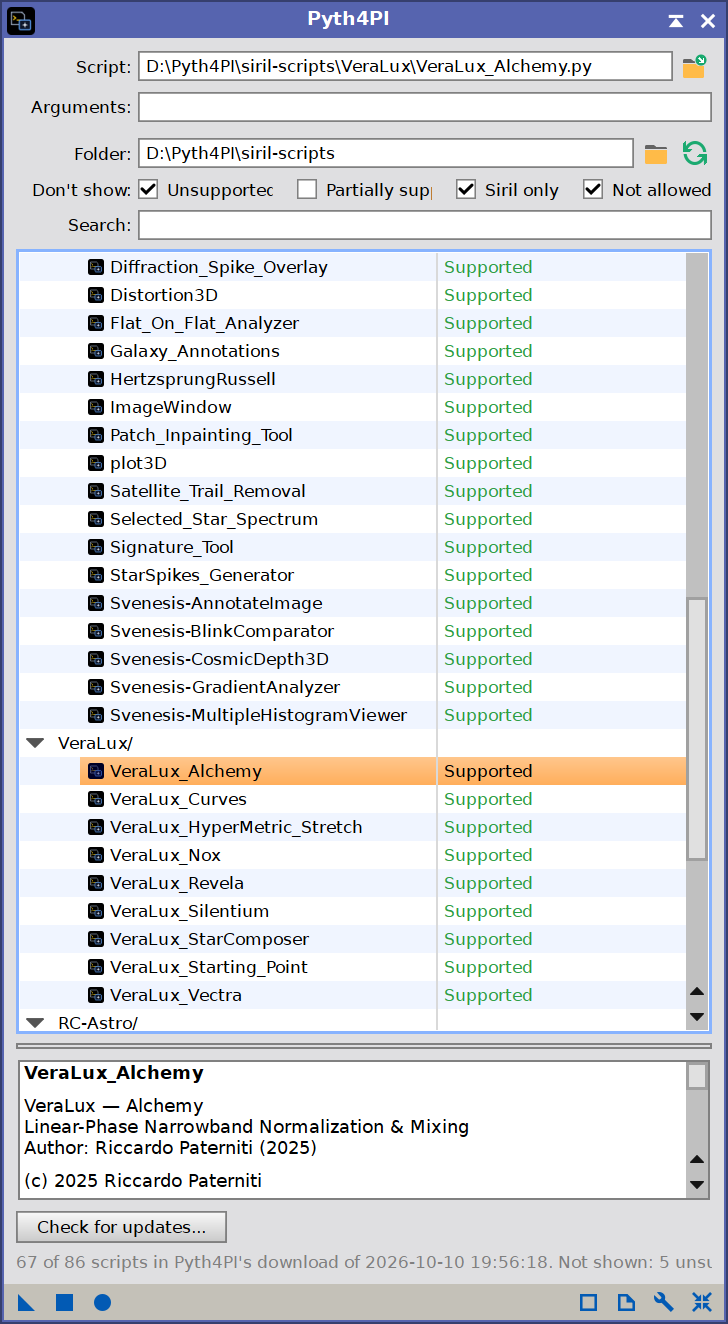
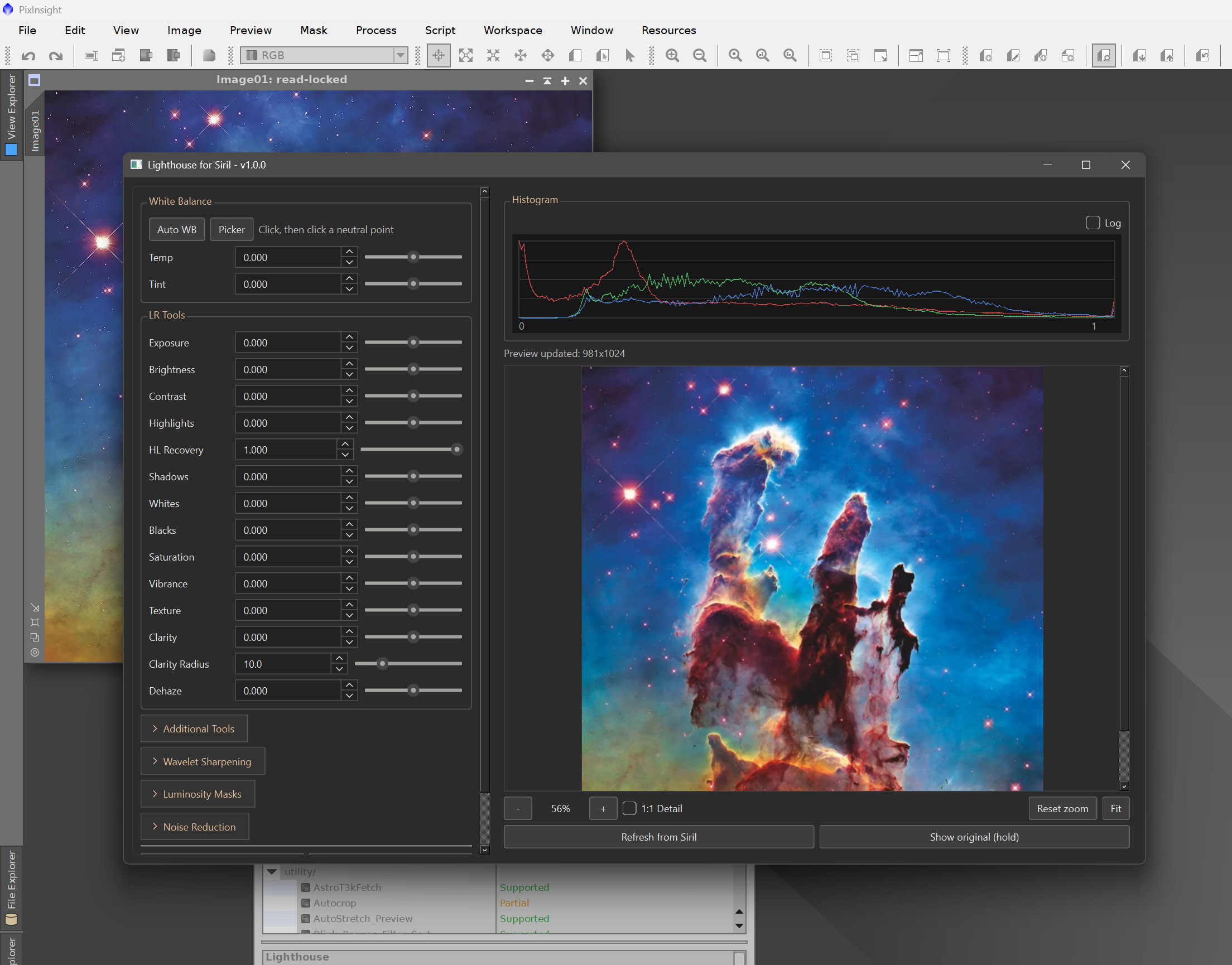
Siril’s Lighthouse script running inside PixInsight.
Pyth4PI Documentation
Pyth4PIs full documentation is accessible from within Pyth4PI itself – we just need to click on the Documentation button in Pyth4PI and it will appear in PixInsight’s Documentation browser. We have also made the same documentation available online, here:






Credits
Pyth4PI was developed using the PixInsight Class Library. Any product derived from the PCL, including Pyth4PI, must reproduce the following acknowledgment:
This product is based on software from the PixInsight project, developed by Pleiades Astrophoto and its contributors (http://pixinsight.com/).
The above statement refers to our use of the PCL to develop Pyth4PI only. Pyth4PI is developed independently, without any relation to or contributions from Pleiades Astrophoto.