
Merge CFA
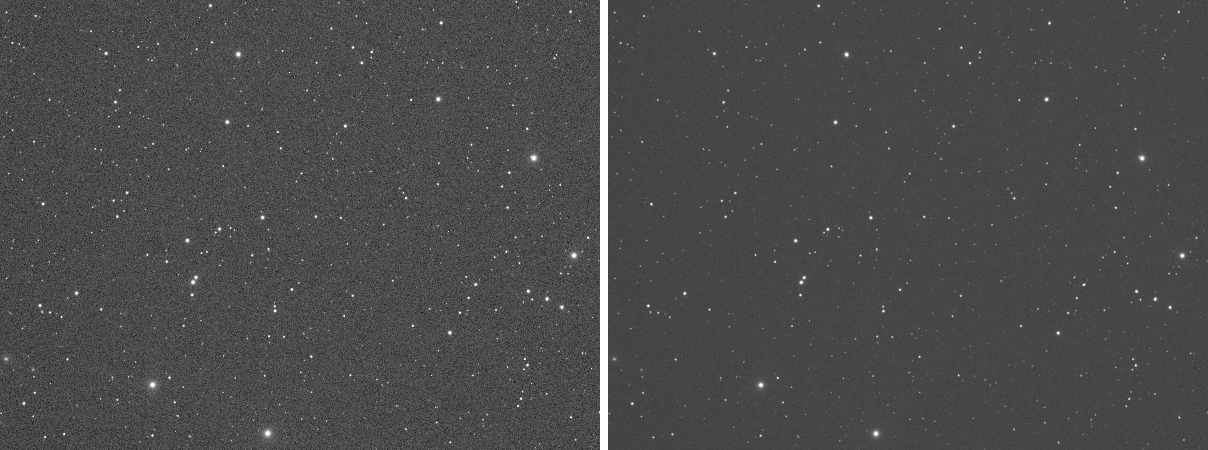
Four CFA components put back into one image
Merge CFA puts four images back together into one image of twice their width and height. They are the four components of a color filter array (CFA) image, as Split CFA makes them, one for each position in the 2 x 2 cell of the sensor's Bayer pattern. We use it after working on the components apart, to get the raw mosaic back before the debayer.
1Introduction
A one-shot color sensor records one color at each pixel, in a repeating 2 x 2 cell, the Bayer pattern. Split CFA cuts such an image into four smaller images, one per position of the cell. Each is a plain gray image of one color, with half the size, and can be calibrated, cleaned or measured on its own. Merge CFA is the other direction: the four images are interleaved again, pixel for pixel, into the image they came from.
The four sources must have the same size, channels, sample type and color space, and the result has those, sample for sample: nothing is converted, and the sources do not change. Merge CFA of the four components Split CFA made gives the original image back, bit for bit.
Merge CFA is a process of PixInsight's of the same name, with its parameters. A PixInsight icon of MergeCFA opens here, and the panel saves one that PixInsight opens. The one setting of our own, Mark pattern, is not written to it.
2Quick Start
- Open the four component images, such as
M31_CFA0toM31_CFA3, and choose . - Choose each component in the list of its row, CFA 0 to CFA 3.
- To have the result marked with the sensor's Bayer pattern, so that Debayer finds it, choose the pattern under Mark pattern.
- Click Apply. The merged image arrives in a new tab.
3Interface & Parameters
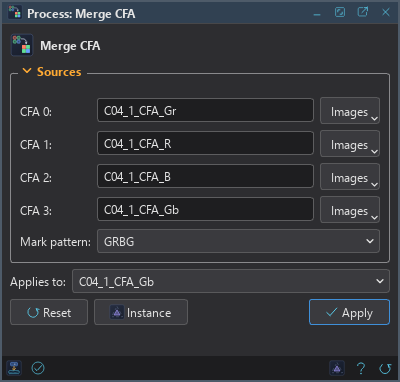
The panel has one section, Sources, then the buttons and the system bar along the bottom.
3.1Sources
Each source is chosen in a list of the open images. Component k holds one position of every 2 x 2 cell, in Split CFA's order.
CFA 0: The pixels at even columns and even rows of each 2 x 2 cell.
CFA 1: The pixels at even columns and odd rows of each cell.
CFA 2: The pixels at odd columns and even rows of each cell.
CFA 3: The pixels at odd columns and odd rows of each cell.
Mark pattern: The Bayer pattern to write to the merged image, so that Debayer finds it: None
(the default), RGGB, BGGR, GRBG or GBRG, the colors at the top left, top right, bottom left and
bottom right of the cell. When a pattern is chosen the result also takes the metadata of the first source, without its
astrometric solution, and is named after it with _merged at the end. With None, or with the PixInsight
compatibility mode on (), where the setting is ignored,
the result is named Image and carries no metadata, as in PixInsight.
3.2Apply and Instance
Apply: Merges the four images into a new image. The sources do not change. The run does not depend on the image in front, which is only the place it starts from, and it makes no history step.
Instance: Shows the process as the panel has it now, as text: a DSPX process
(.dsproc) or a PixInsight process icon (.xpsm), chosen under Format. Copy puts
the text on the clipboard; Save... saves it as a file and puts it on the Process Shelf.
Reset: Puts every setting back to its default.
The system bar along the bottom has the same commands as small icons: at the left, drag to apply and Apply; at the right, Instance, Help (this page) and Reset.
4Usage Tips and Tricks
The order matters. The components must be in Split CFA's order, from 0 to 3. Images named by color (_R,
_Gr, _Gb, _B) are in the order of the pattern: for RGGB, the red is 0, the green of
the red rows 2, the green of the blue rows 1 and the blue 3.
Work between split and merge. A correction that has to be made per color, such as a cleaning of a raw frame, can be done on the four components, which are plain gray images, and the frame merged again before the debayer.
5Related Tools
Split CFA: cuts a CFA image into its four components.
Debayer: turns the raw mosaic into a color image.
Channel Combination: puts gray images together as the channels of a color image, which is not the same thing as interleaving their pixels.