
Drizzle
Registered frames integrated onto a finer grid, from their drizzle data
Drizzle integrates registered frames onto a finer grid than their own, so an undersampled set of frames, dithered between exposures, gives back detail that each frame alone cannot hold. It reads the drizzle data files that Registration writes, measures and integrates the frames they name, and drizzles them with the integration's weights and rejection, all in one run. It writes the drizzled image and its weight image.
1Introduction
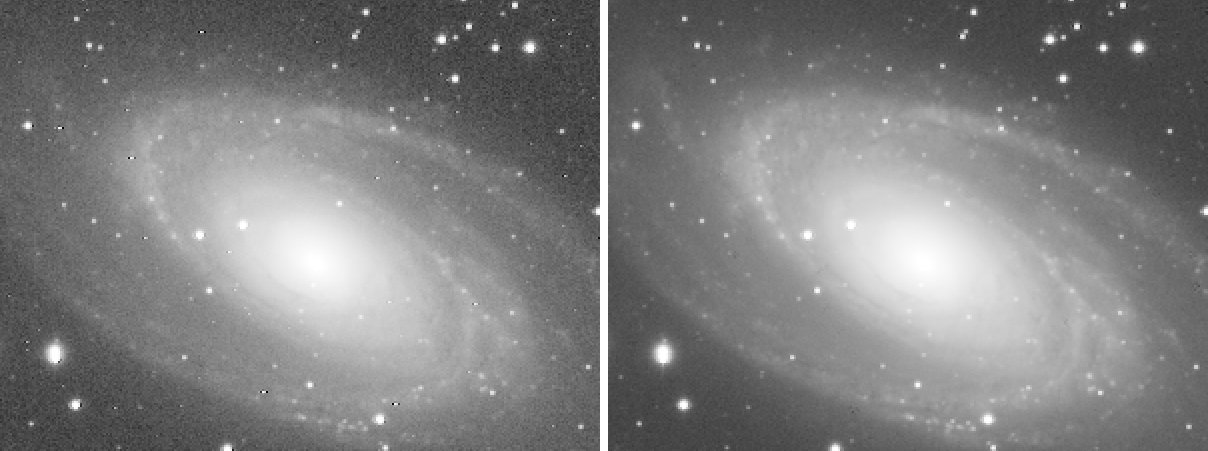
A frame whose stars are only one or two pixels wide is undersampled: the camera's pixels are too large for the detail the optics deliver. When the frames are dithered, each sees the sky shifted by a fraction of a pixel, and together they hold more than any one of them. Drizzling recovers it: each input pixel is shrunk to a smaller drop and laid onto an output grid finer than the input, at the place its frame's registration says, and the output pixels add up what falls on them. With enough frames the gaps between the drops fill in.
In PixInsight this takes three processes: StarAlignment writes a drizzle data file per frame, ImageIntegration adds
its weights and rejection to the files, and DrizzleIntegration drizzles. DSPX drizzles inside the integration, so
one process does the work of the last two: from each .xdrz file it takes the frame and where the frame
goes; it measures the frames, integrates them with those transforms (weights, normalization and rejection, kept in
memory, nothing written), and drizzles them. The result is the pre-processing engine's own drizzle, bit for bit the one
a pre-processing session makes from the same frames with the same transforms.
The settings are PixInsight's DrizzleIntegration's where the engine has them, so a PixInsight icon of
DrizzleIntegration opens here with its files, and the panel saves one that PixInsight opens. A .xdrz file
written by PixInsight's StarAlignment reads too.
2Quick Start
- Register the calibrated frames with Registration, with Generate drizzle
data on: a
.xdrzfile is written beside each registered frame. - Choose , then Add Files... or Add
Folder... and choose the
.xdrzfiles: at least three. - Leave Scale at 2 and Drop shrink at 0.90 to start.
- Click Run. The drizzled image,
drizzle, and its weight image are written in the folder of the first file and open when it is done.
3Interface & Parameters
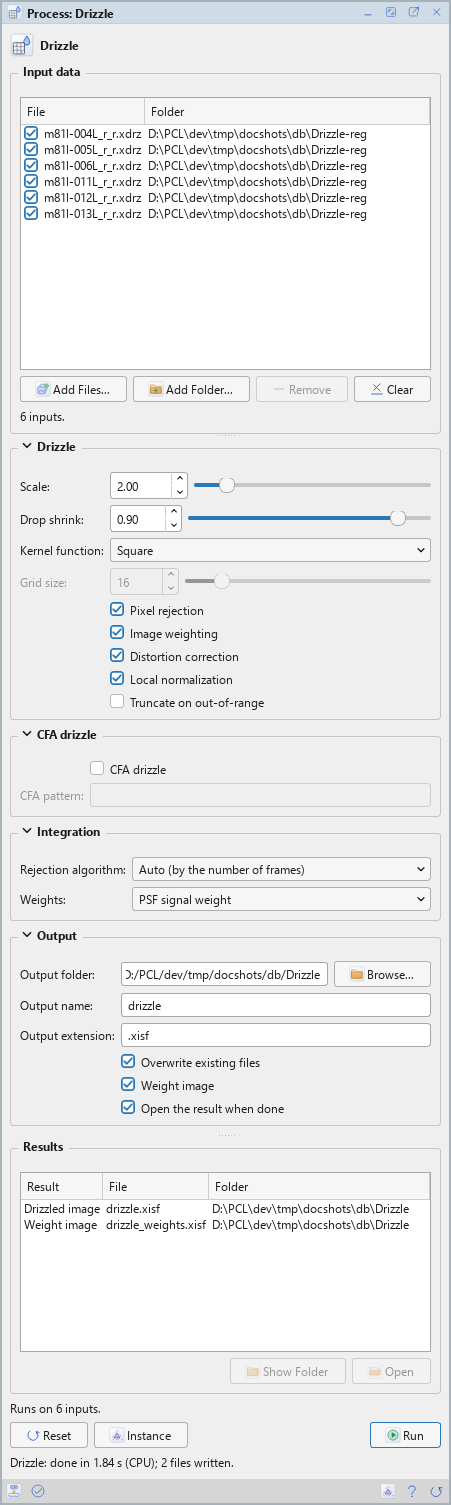
Drizzle is a process that works on files: its panel lists the drizzle data files at the top, under Input data, and has four sections of settings, Drizzle, CFA drizzle, Integration and Output, each of which folds away with the arrow beside its title. Settings that do not apply are grayed out. Under them are the buttons, the results of the last run and the system bar along the bottom. It works on no open image, so it has no Applies to and no live preview.
3.1Input Data
Input data: The frames' drizzle data files, .xdrz, of one registration: they must
all name the same reference geometry, and at least three must be checked. Each row shows a file and its folder, with a
check box that keeps it in the run or leaves it out. Add Files... and Add Folder... take
.xdrz files only; Remove takes the selected rows away; Clear empties the list. The frames
themselves are read from where the files say they are.
3.2Drizzle
Scale: Output pixels per reference pixel, each way: 2, the default, makes an image twice the reference's width and height. From 1 to 4; more is refused when the run starts.
Drop shrink: The side of each drop, in input pixels, from 0.10 to 1; 0.90 by default. Smaller drops are sharper, and need more frames to fill the grid.
Kernel function: The shape of each drop: Square, the default, Circular or Gaussian.
Grid size: The Gaussian kernel only: the microdrops on each side of a drop, from 4 to 64; 16 by default.
Pixel rejection: On by default. What the integration rejected, a satellite or a cosmic ray, is left out of the drizzle too.
Image weighting: On by default. Each frame's drops weigh as the frame weighs in the integration; off, every frame weighs the same.
Distortion correction: On by default. Each frame's distortion model is used when its drizzle data has one, that is, when Registration ran with its distortion correction. PixInsight's own surface splines are not read: such a frame is drizzled with its alignment matrix alone, and the Log says so.
Local normalization: On by default. When every row of the list names local normalization data, the frames are normalized locally, with maps the run computes itself; otherwise, and always when off, by a scale and an offset per frame. The panel's list does not name such data: it comes with a saved process or a PixInsight icon whose rows have it.
Truncate on out-of-range: Off by default: a result that leaves the range from 0 to 1 is rescaled into it. On, it is truncated.
3.3CFA Drizzle
CFA drizzle: Off by default. Drizzles each frame's CFA source, the one-shot color frame its drizzle data names, with each raw sample going into its own color's channel, without debayering. Each frame must name one: debayer the frames with Debayer, then register them. Each channel weighs by its own color's estimates, from the debayered frame's keywords or measured on the CFA frame.
CFA pattern: The Bayer pattern of the CFA frames, RGGB, BGGR, GRBG or GBRG. Empty, the default: each frame's own.
3.4Integration
DSPX's own settings: the integration the drizzle takes its rejection and weights from.
Rejection algorithm: Auto (by the number of frames), the default, chooses by the number of frames: percentile clipping up to 6 frames, Winsorized sigma clipping up to 14, the generalized extreme Studentized deviate (ESD) above. Or one of them: No rejection, Percentile clipping, Sigma clipping, Winsorized sigma clipping, Averaged sigma clipping, Linear fit clipping, ESD or the Robust Chauvenet rejection (RCR).
Weights: Each frame's weight, from its measurement: the PSF signal weight, the default and ImageIntegration's, PSF SNR, the SNR estimate, or Don't care (all weights = 1).
3.5Output
Output folder: Where the drizzled image is written. Empty, the default: the folder of the first drizzle data file. Browse... chooses a folder.
Output name: The drizzled image's file name, without its extension: drizzle by
default. The weight image adds _weights.
Output extension: The file format, .xisf (the default) or .fits, in
32-bit floating point.
Overwrite existing files: Off by default: a file of the same name is kept, and the new one gets
a new name, with _1, _2... at the end. On, it is replaced.
Weight image: On by default: the weight image is written too, how much data each output pixel received.
Open the result when done: On by default: the drizzled image and its weight image open when the run ends.
3.6Run and Instance
Run: Drizzles the frames of the files checked in the list. The Log has the frames' measurements, the integration, and a summary line: the frames, the size, the scale, the drop shrink and the kernel, the normalization, the rejection, the weights and the mode. The frames and the files are only read. The line above the buttons says how many files the run will work on, or why it cannot start.
Instance: Shows the process as the panel has it now, as text: the settings as a DSPX
process (.dsproc), the list of files included, or as a PixInsight process icon (.xpsm) of
DrizzleIntegration, chosen under Format; DSPX's own settings are not in the icon. Copy puts the
text on the clipboard; Save... saves it as a file and puts it on the Process Shelf.
Reset: Puts every setting back to its default.
The system bar along the bottom of the panel has the same commands as small icons: at the left, drag and Run; at the right, Instance, Help (this page) and Reset. Dropped on the Process Shelf, the first icon keeps the process there as a row of its own; applied from the shelf, it runs on its own files. With , the bar alone has them.
4The Run, the Weight Image and the Modes
A run measures each frame the files name, as the first pass of a pre-processing session does, with no masters; the measurements are kept in the frame records' cache, so frames Registration measured already are not measured again. The frames are then integrated on the reference's geometry with the files' transforms, and the drizzle takes from that integration its normalization, its weights and the pixels it rejected. The integration's own master is not written.
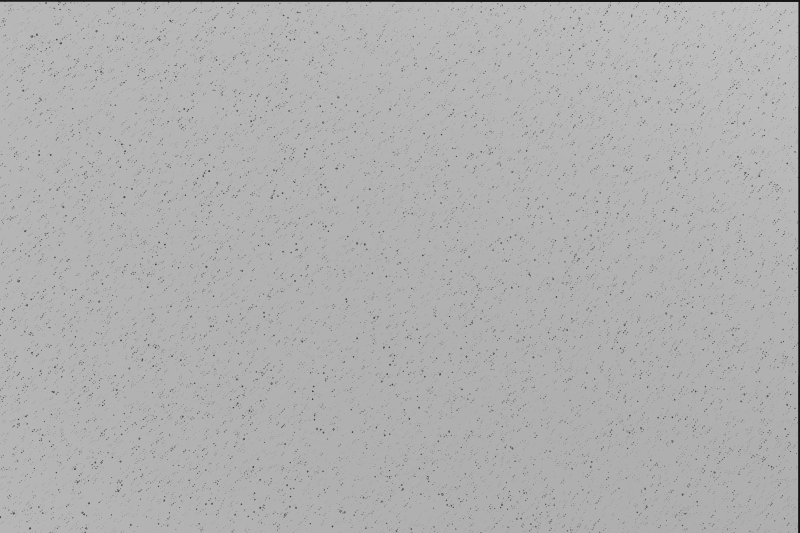
The weight image shows, for each output pixel, the weight of the data that fell on it. Even, it says the drops filled the grid; a pattern of holes or a grid of lines says the frames were too few, or too little dithered, for the scale and the drop shrink: a larger drop shrink, or a smaller scale, fills it.
Where the integration rejected every frame of a pixel (with percentile clipping and few frames, at the edges of stars), the drizzle takes every frame's drops there, as the master takes the whole stack. An output pixel that no drop reaches inside the frames takes the master's value; it stays black in the weight image.
Drizzle follows the PixInsight compatibility mode of . With it on, the engine does PixInsight's work step by step, the first frame of the list is the normalization's reference, and the output is rescaled from every output pixel. With it off, DSPX's mode, the engine makes the same decisions with less work, the frame of the highest PSF signal weight is the reference whatever the list's order, and only the output pixels with at least 1% of the largest weight decide the rescaling, so a border pixel that one drop barely touched cannot dim the whole image.
5Usage Tips and Tricks
Dither. Drizzle only helps frames that were dithered between exposures, by several pixels. Frames that all sit on the same pixels give the same holes in every frame.
Enough frames. The finer the grid and the smaller the drops, the more frames it takes to fill: count on a couple of dozen for a scale of 2, more for 3. Look at the weight image.
Undersampled data only. Frames whose stars are already several pixels wide gain little: the integration of Integration is quicker and its image smaller.
One-shot color. Debayer the frames, register the debayered frames, and drizzle with CFA drizzle on: each color is drizzled from its own raw samples, with no interpolation between them.
6Related Tools
Registration: writes the drizzle data files.
Integration: the same frames integrated on their own grid.
Debayer: the one-shot color frames whose CFA sources CFA drizzle uses.
Resample: a larger image by interpolation, from a single image.