
Integration
Aligned frames stacked into one master, with weights, normalization and pixel rejection
Integration stacks frames that are already aligned into one master: the bias, dark and flat frames of a calibration, or the registered light frames of a night. Each frame is weighed, matched to the others, and its outliers, from cosmic rays to satellite trails, are rejected pixel by pixel, so the master has the signal of every frame and the noise of far fewer. It writes the master and its rejection maps to files, and opens them.
1Introduction
A single frame is noisy; the average of many frames of the same field is not, since the noise of independent frames averages out while the signal stays. Integration combines the frames pixel by pixel, each pixel's stack of values across the frames, in four steps:
- Weights. In an average, a better frame counts more. By default each frame's weight is its PSF signal weight, the measure of its stars' signal against its noise that PixInsight uses by default: read from the frame's keywords, as Calibration and Debayer write them, or measured when the frame has none.
- Normalization. The frames are matched to a reference frame in background level and, with scaling, in their spread, so a frame taken in a brighter sky is not darker or brighter than the others.
- Rejection. In each pixel's stack, values too far from the others, a cosmic ray, a plane, a hot pixel the calibration missed, are left out. The algorithms are ImageIntegration's, from min/max to the generalized extreme Studentized deviate.
- Combination. What is left of each stack is averaged, weighted, or combined by its median, minimum or maximum.
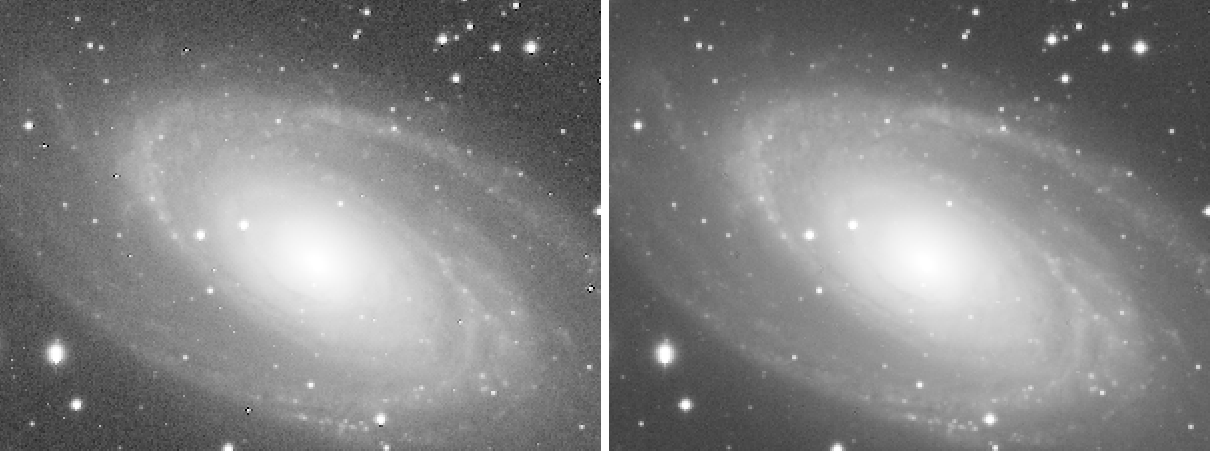
The master is a new 32-bit floating point file, with the engine's keywords and the dates of the observation, from the first frame's start to the last one's end. The rejection maps beside it say, for each pixel, the fraction of the frames rejected low and high.
Integration is the pre-processing engine's integration, the one a pre-processing session runs, with the parameters of PixInsight's ImageIntegration: a PixInsight icon of ImageIntegration opens here, with its files, and the panel saves one that PixInsight opens.
2Quick Start
- Choose .
- Add Files..., and choose the frames: registered lights of one filter, or the bias, dark or flat frames of one kind. At least three.
- For lights, choose a Rejection algorithm: Winsorized sigma clipping is a good start for ten frames or more. For bias and darks, set Normalization to No normalization; for flats, to Multiplicative.
- Choose an Output folder and an Output name, and click Run. The master and its rejection maps open when it is done.
3Interface & Parameters
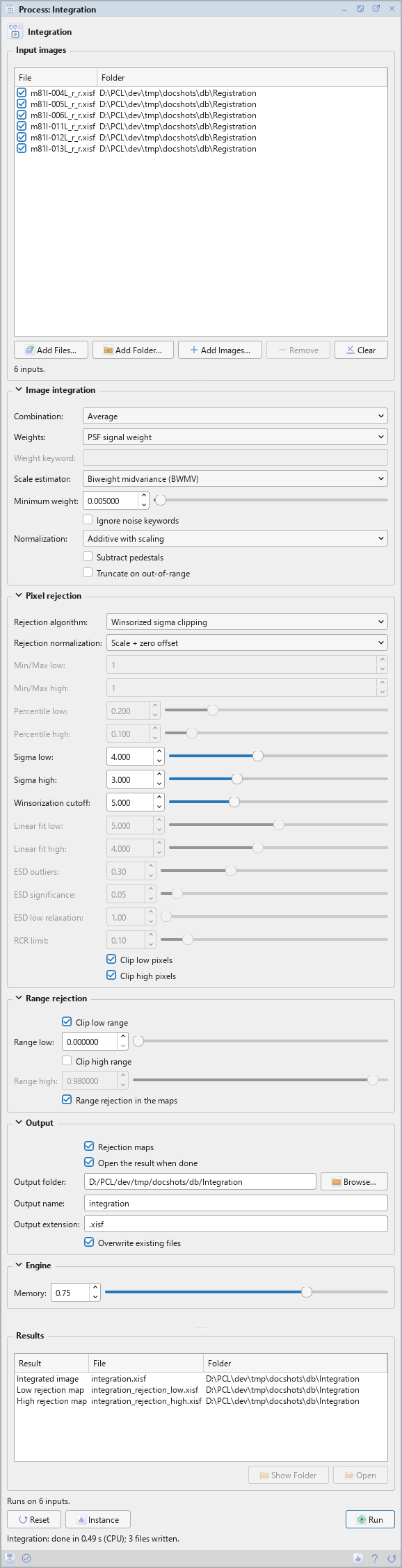
Integration is a process that works on files: its panel lists the frames at the top and has five sections of settings, Image integration, Pixel rejection, Range rejection, Output and Engine, each of which folds away with the arrow beside its title. Settings that do not apply to the choices made are grayed out. Under them are the results of the last run, the buttons and the system bar along the bottom. It has no Applies to and no live preview.
3.1Input Images
Input images: The frames to integrate, at least three, all of one size. Each row shows a file and its folder, with a check box that keeps it in the run or leaves it out. Add Files... and Add Folder... add frames; Add Images... adds open images, chosen in a small list; Remove takes the selected rows away; Clear empties the list. The line under the list says how many inputs there are. An open image that is saved and unchanged is read from its file; any other is written to a temporary file for the run, removed when it ends. A saved process keeps the files, not the open images.
3.2Image Integration
Combination: How the values of each stack that survive the rejection are combined: Average, the default, Median, Minimum or Maximum. Only the average is weighted.
Weights: The weight of each frame in an average:
- PSF signal weight: the default, as in ImageIntegration.
- PSF SNR and SNR estimate: the frame's signal-to-noise ratio from its stars, or the inverse of its noise variance scaled by its spread.
- FITS keyword: the number in each frame's keyword named below.
- Exposure time: each frame's exposure.
- Don't care (all weights = 1): every frame counts the same.
When no frame has any stars, as bias, dark and flat frames have none, the frames weigh the same and the Log says so: a master bias needs no change of settings.
Weight keyword: With FITS keyword: the keyword whose value is each frame's weight. A frame without it stops the run, which says which.
Scale estimator: The measure of spread the scaled normalizations use: Average absolute deviation, Median absolute deviation (MAD), or Biweight midvariance (BWMV), the default.
Minimum weight: A frame whose weight, relative to the largest, is below this in any channel is left out, with a warning in the Log. 0.005 by default. A run left with fewer than three frames fails and says so.
Ignore noise keywords: Off by default. Measure every frame for its weight, even when its keywords carry its estimates.
Normalization: How the frames are matched to the reference frame before they are combined: No normalization, for bias and dark frames; Additive; Multiplicative, for flat frames; Additive with scaling, the default, for lights; or Multiplicative with scaling.
Subtract pedestals: Off by default. Takes the value of each frame's PEDESTAL keyword
off it first.
Truncate on out-of-range: Off by default. A master with values outside the range from 0 to 1 is truncated to it instead of rescaled into it.
3.3Pixel Rejection
Rejection algorithm: How outliers are found in each pixel's stack:
- No rejection: the default, as in ImageIntegration: every value is combined.
- Min/Max: a number of the lowest and highest values of each stack.
- Percentile clipping: values too far from the median, as a fraction of it. For a few frames.
- Sigma clipping, Winsorized sigma clipping, Averaged sigma clipping: values too many standard deviations from the center of the stack, found again until none is left. Winsorized sigma clipping is the most robust of the three, for ten frames or more.
- Linear fit clipping: values too far from a straight line fitted to the sorted stack. For many frames, and for skies that change during the night.
- Generalized extreme Studentized deviate (ESD) and Robust Chauvenet rejection (RCR): statistical tests of each value against the rest. For large sets.
Rejection normalization: How the frames are matched for the rejection only: No normalization, Scale + zero offset, the default, or Equalize fluxes.
Min/Max low: With Min/Max: how many of the lowest values are rejected from each stack. 1 by default.
Min/Max high: How many of the highest. 1 by default.
Percentile low: With percentile clipping: the low clipping point, a fraction of the median. 0.2 by default.
Percentile high: The high clipping point. 0.1 by default.
Sigma low: With the sigma clippings: the low clipping point, in standard deviations. 4 by default.
Sigma high: The high clipping point. 3 by default.
Winsorization cutoff: With Winsorized sigma clipping: values farther than this from the median, in standard deviations, are taken as outliers at once. 5 by default.
Linear fit low: With linear fit clipping: the low tolerance, in standard deviations. 5 by default.
Linear fit high: The high tolerance. 4 by default.
ESD outliers: With ESD: the largest fraction of a stack that can be outliers. 0.30 by default.
ESD significance: The significance level of the test. 0.05 by default.
ESD low relaxation: Low values are rejected less readily by this factor, from 1 to 5. 1 by default.
RCR limit: With robust Chauvenet rejection: its limit. 0.1 by default.
Clip low pixels: On by default. Rejects the low outliers the algorithm finds.
Clip high pixels: On by default. Rejects the high ones.
3.4Range Rejection
Values outside a fixed range are rejected before any statistics, whatever the algorithm.
Clip low range: On by default. Rejects values at or below the low limit: dead pixels, and the empty borders of registered frames, which are zero.
Range low: The low limit, from 0 to 0.5. 0 by default.
Clip high range: Off by default. Rejects values at or above the high limit: saturated pixels.
Range high: The high limit, from 0.5 to 1. 0.98 by default.
Range rejection in the maps: On by default. The rejection maps count the values the range rejected too.
3.5Output
Rejection maps: On by default. Writes the low and high rejection maps next to the master, its
name with _rejection_low and _rejection_high, and with linear fit clipping a slope map,
_slope.
Open the result when done: On by default. The master and its maps open as images when the run ends.
Output folder: Where the master is written. Empty, the default: the folder of the first input. Browse... chooses a folder.
Output name: The master's file name, without its extension: integration by
default.
Output extension: The file format: .xisf, the default, or .fits.
Overwrite existing files: Off by default: a file of the same name is kept, and the master gets
a new name, with _1, _2... at the end, the maps following it. On, it is replaced.
3.6Engine
Memory: The fraction of the free memory the integration may use, from 0.10 to 1. 0.75 by default.
3.7Run and Instance
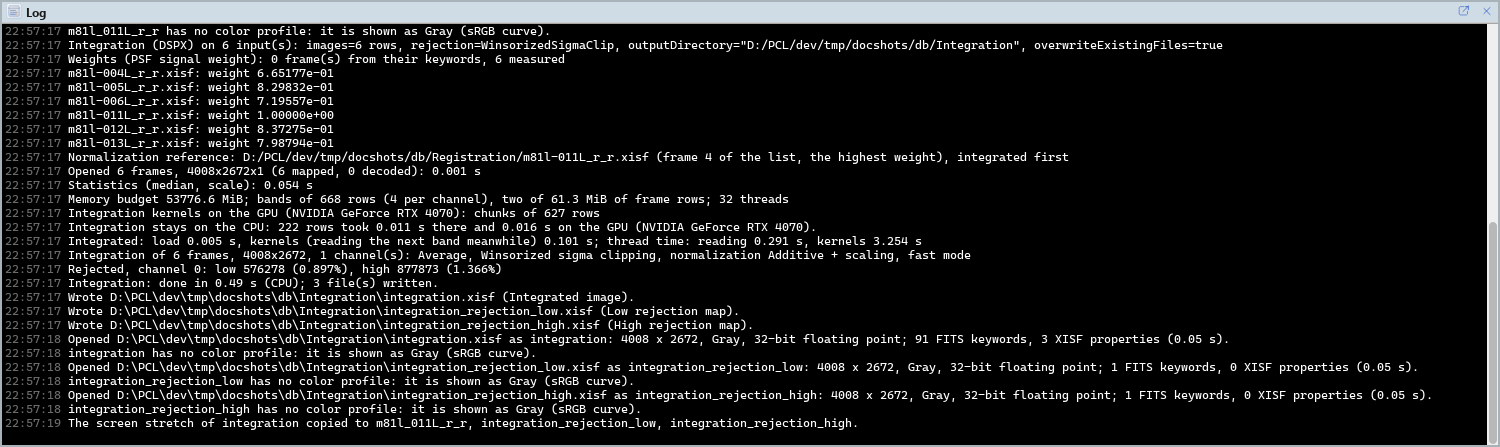
Run: Integrates the inputs checked in the list. The Log gives where each frame's weight came from, from its keywords or measured, each frame's weight, a summary of the run and, per channel, how many values were rejected low and high. The frames themselves are only read. The results are listed under the settings: Open, or a double click, opens one as an image, and Show Folder shows its folder.
Instance: Shows the process as the panel has it now, as text: the settings as a DSPX
process (.dsproc) or as a PixInsight process icon (.xpsm) of ImageIntegration, the list of
files included, chosen under Format. Copy puts the text on the clipboard; Save... saves it as a
file and puts it on the Process Shelf.
Reset: Puts every setting back to its default and empties the list.
The system bar along the bottom of the panel has the same commands as small icons: at the left, drag and Run; at the right, Instance, Help (this page) and Reset. Dropped on the Process Shelf, the first icon keeps the process there as a row of its own, with its files; applied from the shelf, it runs on them. With , the bar alone has them.
4Integration and PixInsight
The settings are ImageIntegration's, with its ids, defaults and ranges. With PixInsight compatibility mode on, in , the engine does ImageIntegration's work step by step, and the first frame of the list is the normalization's reference, as in ImageIntegration. Off, the default, the engine makes the same decisions with less work, differing only where a value lies on a clipping limit to its last bit, and the frame of the highest weight is the reference, so the master's level does not depend on the order of the files. The Log says which mode a run used.
What ImageIntegration has and Integration does not: large-scale rejection, a region of interest, local and adaptive normalization, CCD noise model clipping, weights from the signal, the median or the mean, and 64-bit masters. A PixInsight icon that names one of these opens with that setting at its default, and the reading says so. Integration writes no drizzle data: the Drizzle process makes its own integration.
5Usage Tips and Tricks
Calibration masters. Bias and darks: No normalization, Winsorized sigma clipping. Flats: Multiplicative, Winsorized or percentile clipping. The weights need no change: frames without stars weigh the same.
Choosing a rejection. Percentile clipping for up to about six frames, Winsorized sigma clipping up to about fourteen, linear fit clipping or ESD beyond. Look at the high rejection map: a satellite trail should show there, the stars should not.
Read the weights. The Log lists each frame's weight. A frame far below the others, a cloud or a bad focus, is better left out with its check box than kept with a low weight.
Registered frames have empty borders. Keep Clip low range on: the zero borders of registered frames are then left out of the stacks instead of darkening the master's edges.
GPU. In DSPX mode, on a processor with few cores, integration runs on the graphics card up to 1.3 times faster. The program picks the faster of the two for the computer it finds. A discrete graphics card is what it uses. Choose CPU only in to keep it on the processor, and see GPU Acceleration for what else runs on the card.
6Related Tools
Registration: aligns the light frames before they are integrated.
Calibration: uses the masters Integration makes.
Drizzle: a master at a finer pixel scale, from the same frames.
Autocrop: crops a set of masters to the area they all cover well.