
Flow Sharpen
Sharpens across the structure, never along it
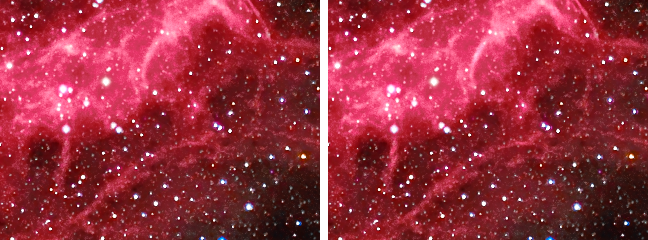
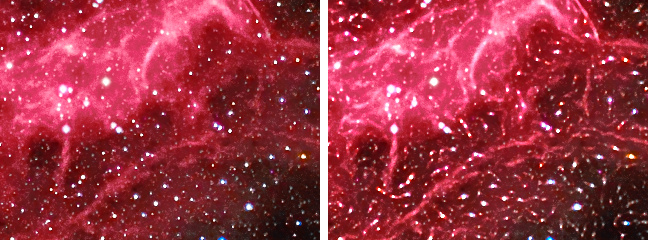
Flow Sharpen finds which way the structure runs at every pixel and sharpens across it only. Along a filament, where there is nothing to add, nothing is added, and the sky, which has no direction, is left alone. That makes it the safest strong sharpening on a noisy image, for filaments, dust lanes, spiral arms, jets and tails, on linear and stretched images alike.
1Introduction
Every other sharpening method amplifies the same in every direction, which is why they all need a deringing control: a gain that lifts a ridge lifts the noise beside it. Flow Sharpen asks which way the structure runs. At each pixel it measures the direction of the brightness gradients around it, the structure tensor, and how clearly one direction wins, the coherence. It then adds detail across that direction only.
Noise has no direction: its gradients point everywhere and average away, so its coherence is near zero, and the Selectivity setting leaves it alone. A filament, an edge or a dust lane all have one direction and score high. A round star has no single direction either, so stars are left alone unless Selectivity is near 0.
It is not an edge steepener. It does not push an edge toward a step, nor flatten the gradation on either side; it amplifies the detail that is already there, in one direction.
Flow Sharpen is DeepSharp's Flow method. DeepSharp's PixInsight module puts its seven methods on seven tabs of one process; in DSPX each is a process of its own in , and they share DeepSharp's engine and its results.
2Quick Start
- Open the image and choose .
- Zoom the image to 1:1 on its filaments. With the live preview (the eye) on, the result shows as we change the settings.
- Set Detail scale to the width of the detail we want sharper, and raise Amount to taste.
- If the sky starts to sharpen too, raise Selectivity.
- Click Apply.
3Interface & Parameters
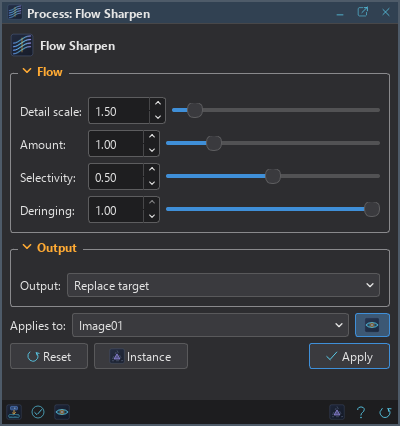
The panel has two sections, Flow and Output, each of which folds away with the arrow beside its title. Under them are the image the process applies to with the live preview's eye, the buttons and the system bar along the bottom.
3.1Flow
Detail scale: The size of the detail that is sharpened, in pixels, from 0.30 to 16; 1.50 by default. Everything is measured on a copy smoothed by this much, so small values act on fine texture and large ones on broad structure. It also sets how far the direction is averaged, at three times this.
Amount: How much of the detail is added back, from 0 to 5; 1 by default. Because it is added across the structure only, it can be pushed further than an ordinary sharpening before it looks wrong.
Selectivity: How clearly a direction must win before a neighborhood is sharpened at all, from 0 to 1; 0.50 by default. This is the setting that keeps the sky quiet. At 0 everything is sharpened, still across the structure, but without asking whether there is a structure; at 1 only unmistakable structure is touched. Measured on an image of the Veil at Amount 2: at 0.5 the noise of the empty sky came out unchanged; at 0 it rose by about a seventh.
Deringing: How much of the correction is withheld where it would go darker, from 0 to 1; 1 by default. A sharpening correction is negative on the dark side of every edge, which is what a dark rim is made of. At 1 the correction may brighten but never deepen; at 0 it works both ways.
3.2Output
Output: Where the result goes.
- Replace target: the default. The image is sharpened in place, in one history step that Undo takes back, through the image's mask if it has one.
- New image: the image is left untouched and the result arrives as a new image named after it, with
_flowat the end.
3.3Apply, Preview and Instance
Live preview (the eye): At the end of the Applies to row; Preview in the system bar is the same switch. On by default. The image shows Flow Sharpen applied to the part in view, as the settings change, with the banner "PREVIEW only, nothing applied"; the image itself does not change until Apply. Before, in the banner, or the backslash key held, shows the image as it is. At a reduced zoom (Fit, 1:2...) the preview is computed on the reduced view with Detail scale scaled to it, and Exact, in the banner, computes the part in view at full resolution. At any zoom the preview is close, not exact: the level of the correction that is put back is measured on the part in view, and the banner says so.
Applies to: The image Flow Sharpen works on, chosen in a list of the open images. It shows the image in front, and follows it as we bring other images to the front. Picking another image in the list makes the panel work on that one, its live preview included, without bringing it to the front; the pick stays while we work on other images, and Follow Active, the small button that appears beside the list, makes the panel follow the image in front again. An image that a tool or a run is working on is listed, but cannot be picked.
Apply: Sharpens the image named in Applies to, as Output says, channel by channel for a color image. Apply ends the live preview; it starts again when a setting changes.
Instance: Shows the process as the panel has it now, as text: the settings as a DSPX
process (.dsproc) or as a PixInsight process icon (.xpsm), chosen under Format. The icon is
a DeepSharp icon with its method set to Flow, which DeepSharp's PixInsight module opens on that tab. Copy puts the
text on the clipboard; Save... saves it as a file and puts it on the Process Shelf.
Reset: Puts every setting back to its default.
The system bar along the bottom of the panel has the same commands as small icons: at the left, drag to apply and Apply; at the right, Instance, Help (this page) and Reset. Drag to apply, the first icon, carries the process with its settings: dropped on an image's window, it sharpens that image, whatever image the panel works on; dropped on the Process Shelf, it is kept there as a row of its own. With , the bar alone has them.
4Selectivity and the Sky
Selectivity is what makes Flow Sharpen safe on noisy data. The coherence of a neighborhood says how strongly one direction dominates its gradients: near 1 along a filament or an edge, near 0 in the sky, where the noise points every way. Below the coherence Selectivity asks for, nothing is added; above it, the correction comes in gradually.
5Example

6Usage Tips and Tricks
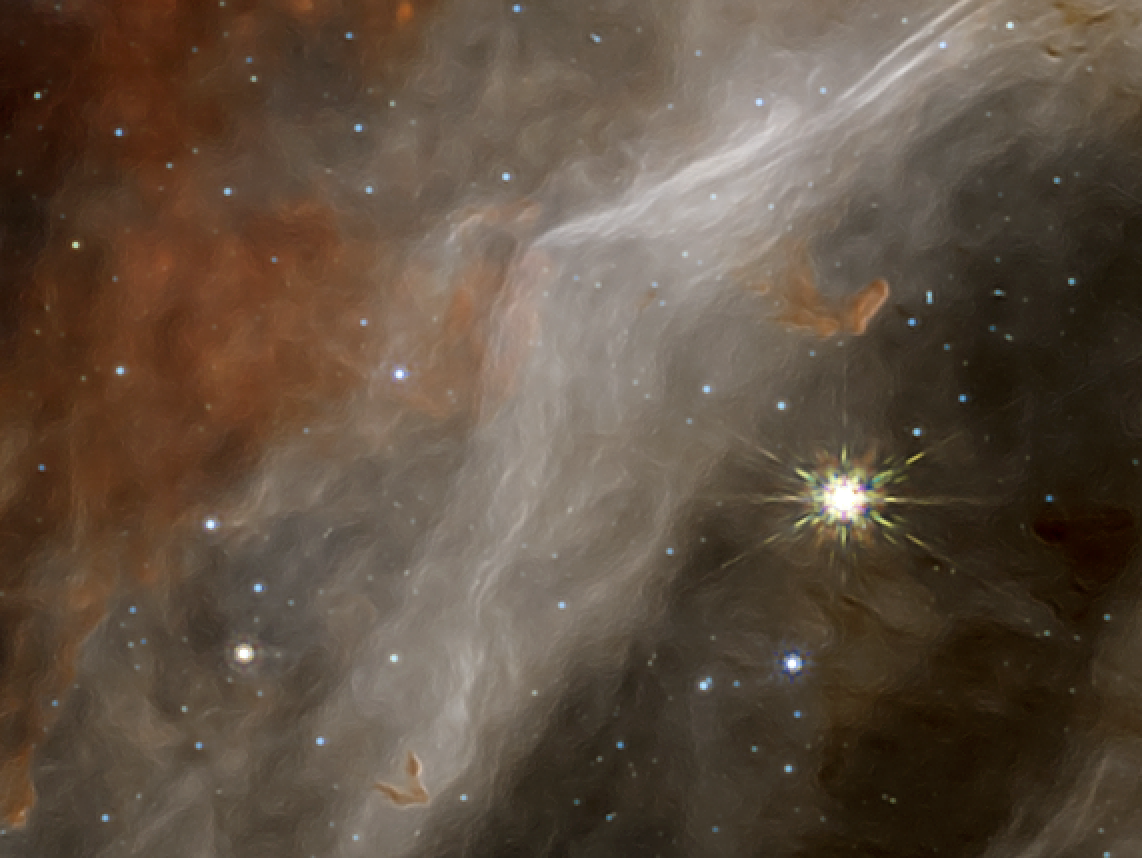
For anything with a direction. Dust lanes, spiral arms, jets, tails and filaments sharpen across their own direction and are left alone along it.
The gentlest on noise. Of the seven sharpening processes, Flow Sharpen amplifies the least grain, because the grain has no direction. It is the first to try for strong sharpening on a noisy stretched image.
Detail scale first. The amount means little until the scale matches the width of the structure. Preview at 1:1, where the live preview needs no scaling.
Push the amount. Amounts of 2 or 3 often still look natural, where an ordinary sharpening would have ringed.
GPU. In DSPX mode the whole method runs on the graphics card when the image is a quarter of a megapixel or more: the smoothed copy, the structure tensor and its smoothing, the direction and the correction, the level and the scaling of the channels. A 24 MP color image runs about twelve times faster than on the processor. An image with a NaN or an infinite sample, or one narrower than the tensor's Gaussian, stays on the processor. The result agrees with the processor's to a few millionths of the range. Choose CPU only in to keep it on the processor, and see The Processor and the GPU.
7Related Tools
Deep Sharpen: a trained network undoes the measured blur of a linear image.
Deconvolution: Richardson-Lucy against the measured blur of a linear image.
Multiscale Sharpen: a gain for each size of detail.
Texture Sharpen: sharpens the faint texture and quiets the sky in one pass.
Clarity: local contrast that cannot form a rim along an edge.
Filament Sharpen: finds long thin structure by its shape, and makes a mask of it to apply Flow Sharpen through.