
RGB Combination
Three mono masters into the channels of one color image, by their filters
RGB Combination puts three mono masters, registered onto one reference, into the red, green and blue channels of one color image. Each master's channel comes from its filter, so the order in which they are listed does not matter: red, green and blue masters, or the SHO and HOO palettes of narrowband masters. It works on files and writes the color image as a new file; a pre-processing session does the same with its own masters.
1Introduction
With a monochrome camera, a color image starts as one master per filter. Once the masters are registered onto one reference they have the same geometry, pixel for pixel, and making a color image of them is only a matter of putting each into its channel. RGB Combination does that, and nothing else: no color calibration, no stretch, no weighting of the channels. What comes out is a linear color image, ready for Background Extraction and Color Calibration.
Each master's channel is read from its FILTER keyword, which the capture program writes and the
integration keeps. The names are recognized whatever their case, spaces, hyphens or underscores: R, Red or Rc for red;
G, Green or V for green; B or Blue for blue; L, Lum, Luminance or Clear for a luminance; Ha, H-alpha or H for hydrogen
alpha; OIII or O3 for oxygen; SII or S2 for sulfur. The Palette then says which filter goes into which
channel.
RGB Combination has no PixInsight process of its own: PixInsight's ChannelCombination works on open images.
2Quick Start
- Choose .
- Add Files..., and choose the masters, registered onto one reference.
- Choose the Palette: RGB for red, green and blue filters, SHO or HOO for narrowband masters.
- Click Run. The color image,
masterRGB(ormasterSHO,masterHOO), is written next to the first master and opens when it is done.
3Interface & Parameters
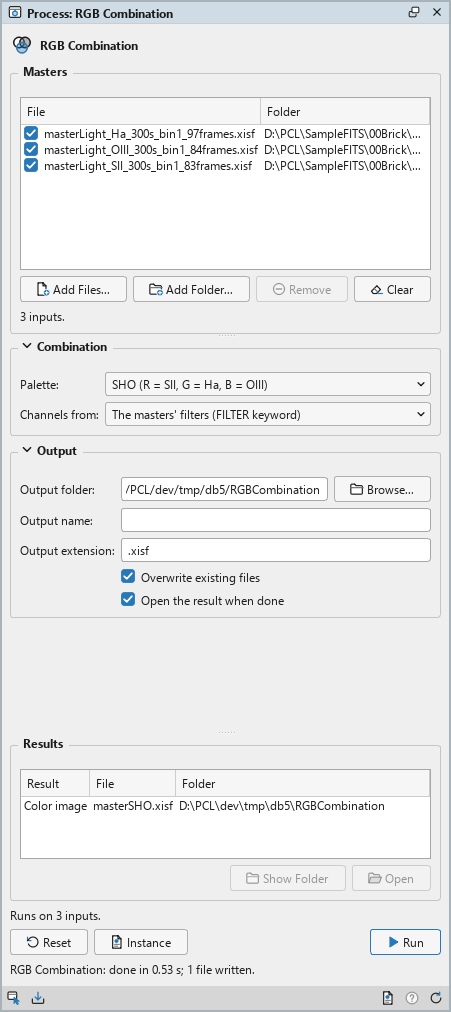
RGB Combination is a process that works on files: its panel lists the masters at the top, under Masters, and has two sections of settings, Combination and Output, each of which folds away with the arrow beside its title. Under them are the results of the last run, the buttons and the system bar along the bottom. It works on no open image, so it has no Applies to and no live preview.
3.1Masters
Masters: The mono masters to combine, registered onto one reference, so they all have the same size: at least two in the list, and three for the list's order. Each row shows a file and its folder, with a check box that keeps it in the run or leaves it out. Add Files... and Add Folder... add masters; Remove takes the selected rows away; Clear empties the list. The line under the list says how many masters there are.
3.2Combination
Palette: Which filter goes into each channel:
- RGB (red, green and blue filters): the default. Red, green and blue, one master each.
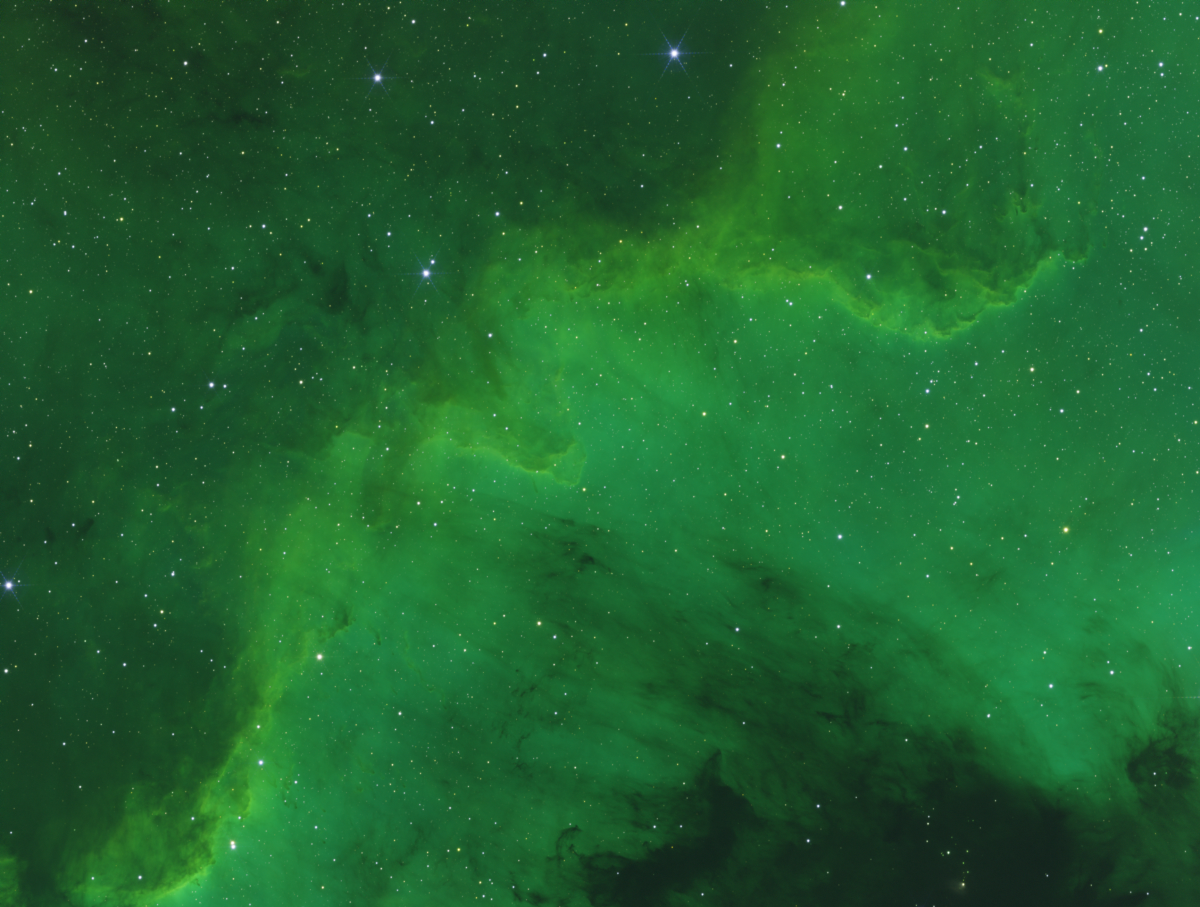
- SHO (R = SII, G = Ha, B = OIII): the narrowband palette of the Hubble images.
- HOO (R = Ha, G = B = OIII): two narrowband masters, the OIII master in both green and blue.
Channels from: How each master's channel is known:
- The masters' filters (FILTER keyword): the default. Each master by its filter, wherever it is in the list. With the RGB palette and exactly three masters of which none names a filter, the list's order is used instead, and the Log says so.
- The list's order (red, green, blue): the first three masters checked, in that order, whatever their filters.
3.3Output
Output folder: Where the color image is written. Empty, the default: the folder of the first master. Browse... chooses a folder.
Output name: The color image's file name, without its extension. Empty, the default:
masterRGB, masterSHO or masterHOO, after the palette.
Output extension: The file format, .xisf (the default) or .fits. The
image is written in 32-bit floating point.
Overwrite existing files: Off by default: a file of the same name is kept, and the new one gets
a new name, with _1, _2... at the end. On, it is replaced.
Open the result when done: On by default: the color image opens when the run ends.
3.4Run and Instance
Run: Combines the masters checked in the list. The Log says which master went into each channel
(RGB combination (SHO): R = ..., G = ..., B = ...) and names the masters left out. The masters themselves
are only read. The line above the buttons says how many masters the run will work on, or why it cannot start.
Results then lists the color image with its folder: a double click, or Open, opens it; Show
Folder shows its folder.
Instance: Shows the process as the panel has it now, as text: the settings as a DSPX
process (.dsproc), the list of masters included. PixInsight has no such process, so there is no icon to
write. Copy puts the text on the clipboard; Save... saves it as a file and puts it on the Process
Shelf.
Reset: Puts every setting back to its default.
The system bar along the bottom of the panel has the same commands as small icons: at the left, drag and Run; at the right, Instance, Help (this page) and Reset. Dropped on the Process Shelf, the first icon keeps the process there as a row of its own. With , the bar alone has them.
4What the Color Image Holds
The three masters are read as 32-bit floating point and copied, unchanged, into the red, green and blue channels. They must be mono images of one size; a color master, or one of another size, stops the run and says which. So does a filter the palette needs that no master has, or two masters of the filter of one channel: the run says which channel, and we leave one of them out with its check box.
A luminance master, and any other master the palette does not use, is not combined: the Log names it, and it stays a master of its own, for LRGB Combination afterward.
The color image keeps the red master's keywords, but its filter and its noise and PSF estimates, which described one
channel only. Its HISTORY lines name each channel's filter and master. Its observation dates span the three
masters: DATE-OBS the earliest start, DATE-END the latest end, DATE-AVG their
mean times weighted by their exposures, so the astrometric processes place the catalog stars where they were then.
RGB Combination does the same in both of DSPX's process modes.
5Usage Tips and Tricks
Crop first. The edges of registered masters are made of fewer frames. Crop the masters to one rectangle before combining them, so the color image has no colored strips along its borders.
Masters without filters. Masters from another program may carry no FILTER keyword. List them in
the order red, green, blue and choose The list's order, or add the keyword with FITS
Header.
The palette is a start. SHO puts the strong Ha signal in green. The balance between the channels is the next step's work: Linear Fit of the masters to each other before combining, or Pixel Math for a palette of our own.
6Related Tools
Channel Combination: the same for open images, in any color space.
LRGB Combination: a luminance master with the color image.
Autocrop: masters cropped to one rectangle.
Integration: the masters themselves.