
AstroThumbs
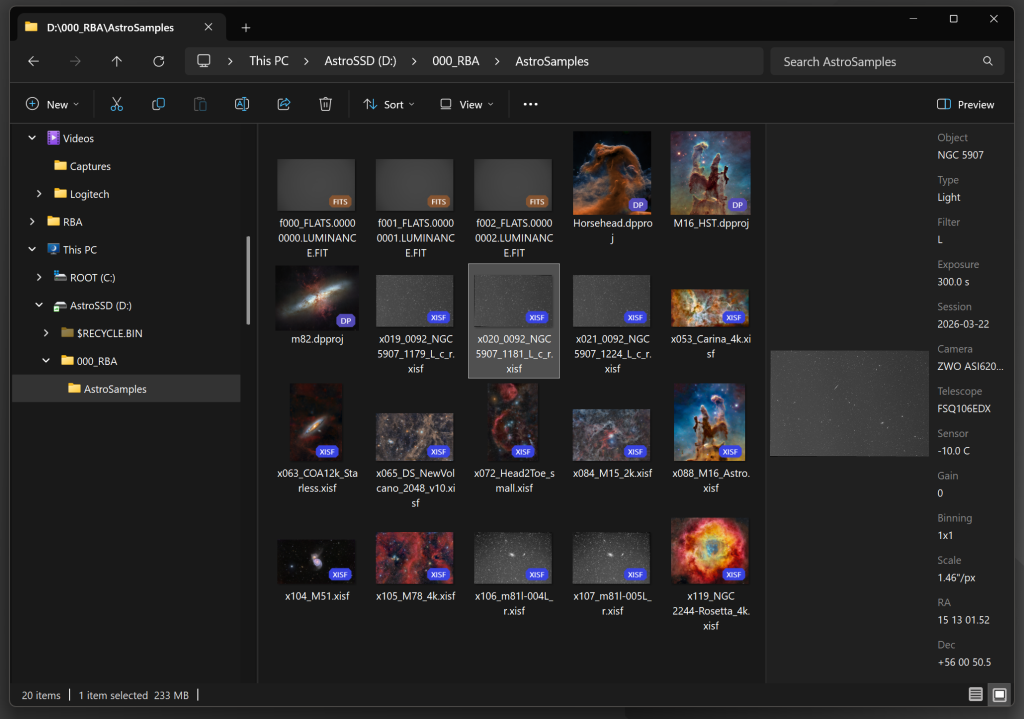
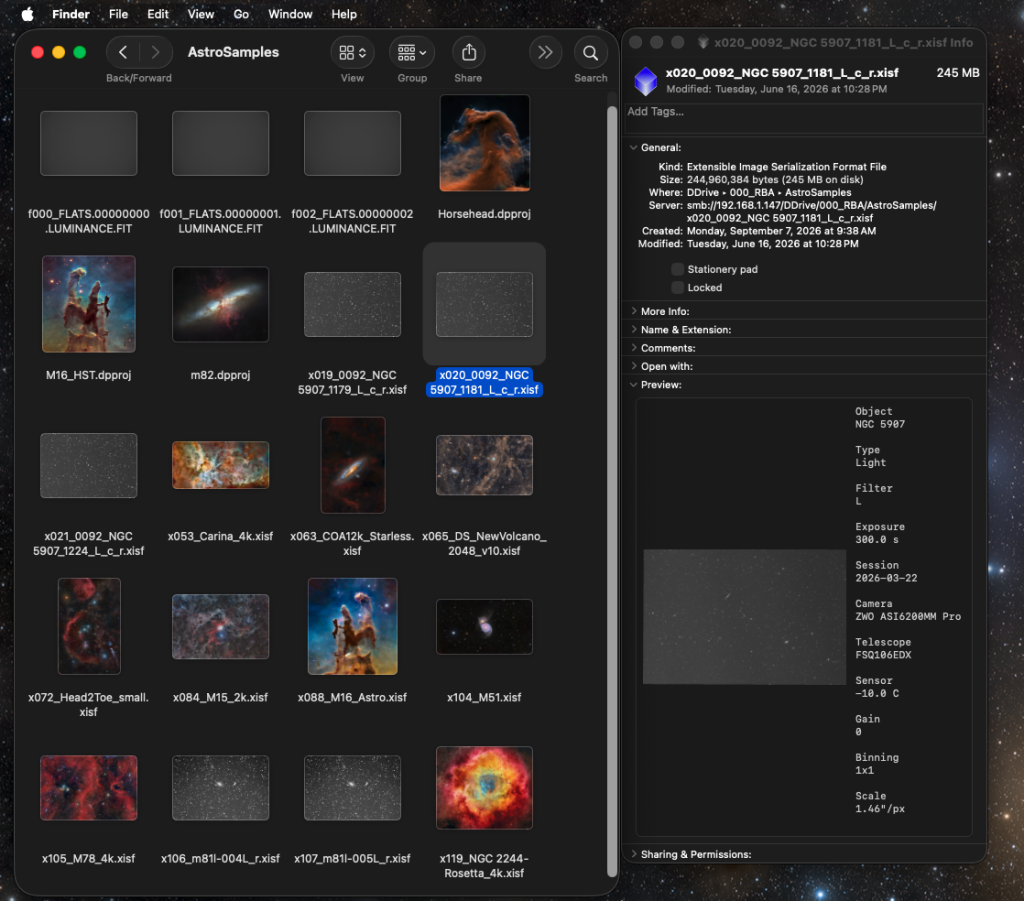
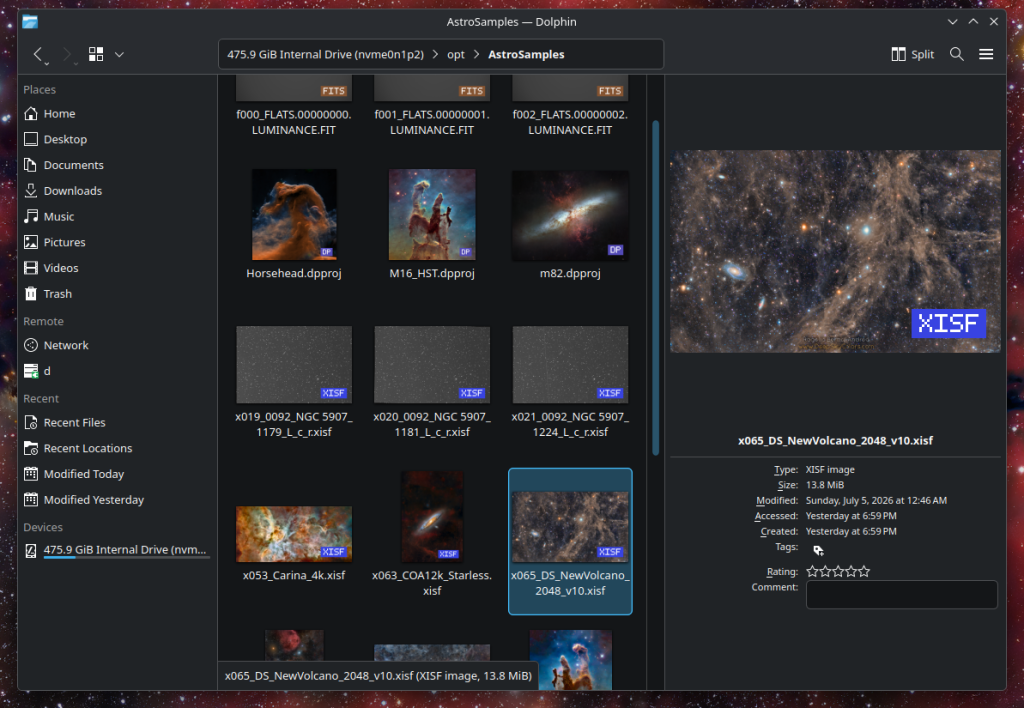
The icons of all our XISF and FITS files display their image’s thumbnails, and the preview or file info area, when available, shows the larger image plus additional astronomical data contained in the images.
Windows
macOS
Linux (KDE shown here)
This is AstroThumbs
AstroThumbs is a must-have tool for anyone working with .XISF (PixInsight) and .FITS files on Windows, Linux, or macOS. AstroThumbs teaches the file explorer (Windows Explorer in Windows, Finder in macOS, Dolphin and others in Linux) to understand these astronomical image files. Once installed, it works everywhere the file explorer does, with no extra program to run and no other software required:
- Thumbnails:
- Every
.xisf,.fits,.fitand.ftsfile shows a real image instead of a blank icon, in every icon view and size. .seqfiles (Siril) and.xpsm(PixInsight) files will display information about the contents of the files in the Preview pane (see below).- DeepParallax
.dpprojproject files display the main source image in the project as thumbnails. - New astro-related formats may be added in future versions. What are you missing?
- Every
- Preview pane: When available, selecting a file shows a large preview together with the essentials of the image (coordinates, dimensions, format).
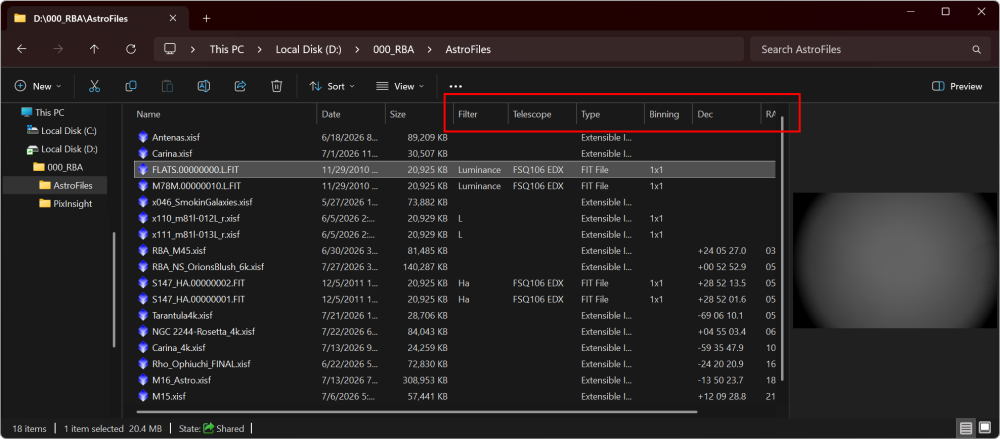
- Metadata columns (Windows only): Details view can show and sort by the data inside the files: object, filter, exposure, sensor temperature, session date and many more.
Linear (unprocessed) data can be displayed with the same automatic screen stretch PixInsight uses, so a raw subframe looks in Explorer like it does on your processing screen, not like a black rectangle. Already-stretched images are shown as they are. One-shot-color mosaics can be rendered in color, and multi-image XISF files show their main image.
We can add many astro-related columns to the Explorer’s detailed file list, to see this additional information about all files at once, and to sort the file list just like we would do with any other column. (Windows only)
Try it for free!
AstroThumbs is not free, but you can try it for 15 days for evaluation purposes, with no feature restrictions.
If you want to use AstroThumbs after the trial period, you can choose to license it for a very reasonable one-time payment of 5.99 US$ – No subscription fees: your copy is yours to keep and use forever.
To download and try AstroThumbs, pick the download for your system below. One license covers all your computers on every platform, and every download includes a 15-day trial.
Current version is 1.2.0, released on October 1, 2026
- AstroThumbs 1.2.0 for Windows (x64)
(SHA256: ddd662b5c218d5265a9dace41e1189f7e7d858024127bb9d78aa1fc361656d11)
Each download contains both packages and an installer script. Unpack it and run ./install.sh.
- AstroThumbs 1.2.0 for Intel / AMD
(SHA256: df393c0d8357d24e72fa18d88f80175362490dfe5d8b0f2f8ca4a292171e6431)
- AstroThumbs 1.2.0 for Raspberry Pi / ARM
(SHA256: b57aec60802e124211e2f0738cffbba068735f092bba70db6e99aaaa698996f8)
- AstroThumbs 1.2.0 for Intel / AMD
(SHA256: 67c05cc601e8c53c16f357cd64805ccb7a52fd252468880c8070b47fd47f44dd)
- AstroThumbs 1.2.0 for Raspberry Pi / ARM
(SHA256: 665b1c93296b35a852d9b3965b2cc0430993ca24d067d4d6ea703fdc311b1003)
Not sure which one? Run uname -m in a terminal: x86_64 means Intel / AMD, aarch64 means Raspberry Pi / ARM.
What to expect on Linux. Thumbnails work in every major file manager: GNOME Files, KDE Dolphin, Nemo, Caja and Thunar. On KDE you also get a preview panel, through Dolphin’s information panel. Sortable metadata columns are a Windows feature and are not available on Linux.
On GNOME, you will be asked for your password once when you enter your license key. Please say yes. GNOME runs thumbnail programs in a sandbox that cannot read your home folder, so the license has to be copied to a system-wide location. Without that step the license is stored correctly but your thumbnails stay blank. KDE, XFCE, Cinnamon and MATE need nothing extra.
The macOS version of AstroThumbs is already built and tested. We are waiting on Apple for our Developer Certificate and other formalities until we can offer the installer for download. Otherwise, you would be downloading a package that macOS refuses to run.
- AstroThumbs for Apple Silicon (arm64) – coming soon
- AstroThumbs for Intel (x64) – coming soon
Pay once, use it forever
AstroThumbs can be registered for personal use under a paid license. If you wish to use AstroThumbs in a work environment, or for commercial, business, or organizational purposes, please contact us to discuss appropriate licensing options.
No subscriptions, all free v1.xx updates. Your copy is yours and once registered, it will never be deactivated. You can install and use it on any machine, as long as they are for your own personal, non-commercial use.
DeepParallax Studio owners: A licensed copy of DeepParallax Studio licenses AstroThumbs automatically, on the same computer. You do not need to register AstroThumbs.
NOTE: After you make your purchase, you should receive an email from us, usually within 15 minutes. If, after 15 minutes (but not before that) you still haven’t received our message, please check your spam folder. If still nothing, contact us.
AstroThumbs Documentation
AstroThumbs’s full documentation is accessible from within AstroThumbs itself – we just need to open the AstroThumbs Settings window, click on the Help button, and it will open in your default browser. We have also made the same documentation available online, here, so you can see everything AstroThumbs has to offer:
AstroThumbs Official Documentation, for Windows
AstroThumbs Official Documentation, for Linux
AstroThumbs Official Documentation, for macOS