
PixelClipboard (PClip)
Welcome to PixelClipboard!
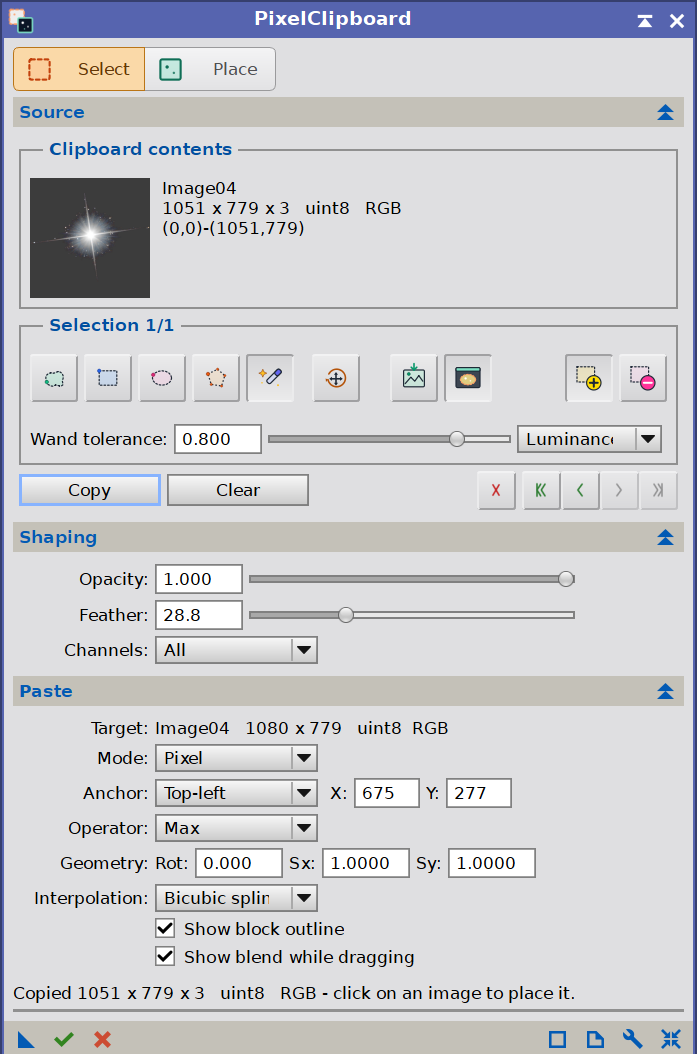 PixInsight can copy a whole image, but it cannot copy a piece of one. PixelClipboard, PClip to its friends, adds a real pixel clipboard: select any region of any open image, copy it, and paste it onto another image exactly where it belongs. The selection can be any shape, the paste can be moved, turned and resized before it is committed, and the result is visible on the target while it is being positioned. When both images are plate-solved, PClip can place the block by sky coordinates instead, so it lands on the same stars whatever the orientation or scale.
What it does
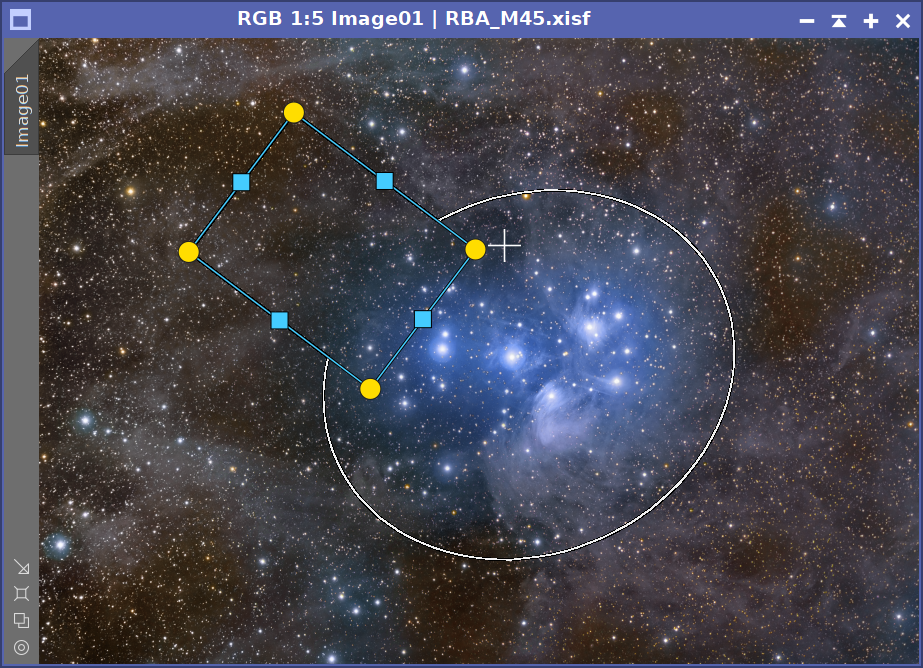
- Shaped selections. Rectangle, ellipse, freehand, polygon and magic wand regions, added together or cut into one another, with undo, redo and a full editing history.
- Interactive placement. The copied block floats over the target image and follows the pointer, with handles to rotate and resize it before anything is written.
- A preview that matches the paste. The blend is computed the same way the paste computes it, so what appears on screen is what the pixels will become.
- Every PixInsight pixel operator. Normal, Add, Subtract, Multiply, Difference and the rest, with opacity, feathered edges and the option to paste into a single channel.
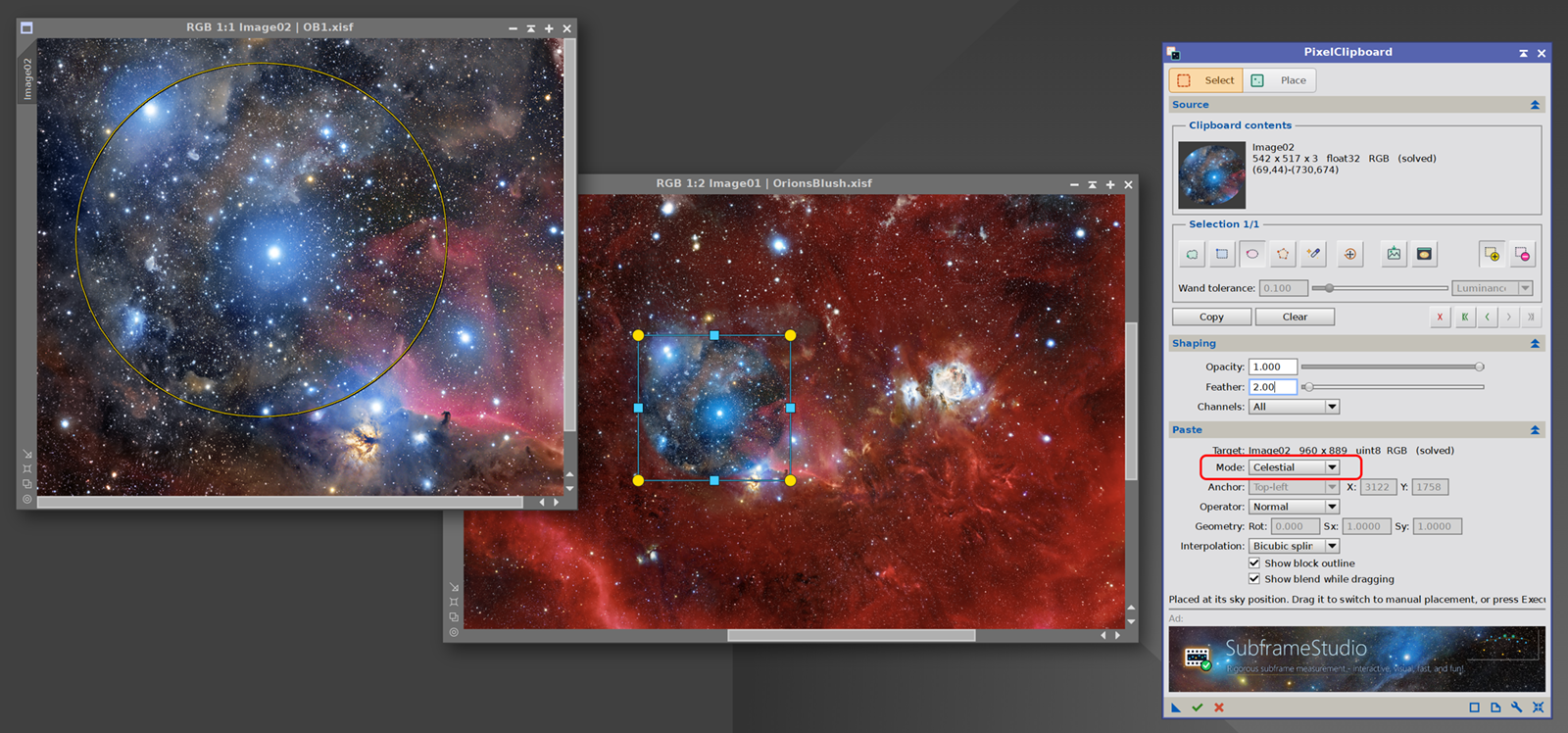
- Paste by celestial coordinates. With both images plate-solved, the block is reprojected onto the target and lands on the same stars, whatever the orientation, scale or projection.
- Selection preview. A separate window shows the source image with only the selection visible, following the feather, opacity and channel settings as they change.
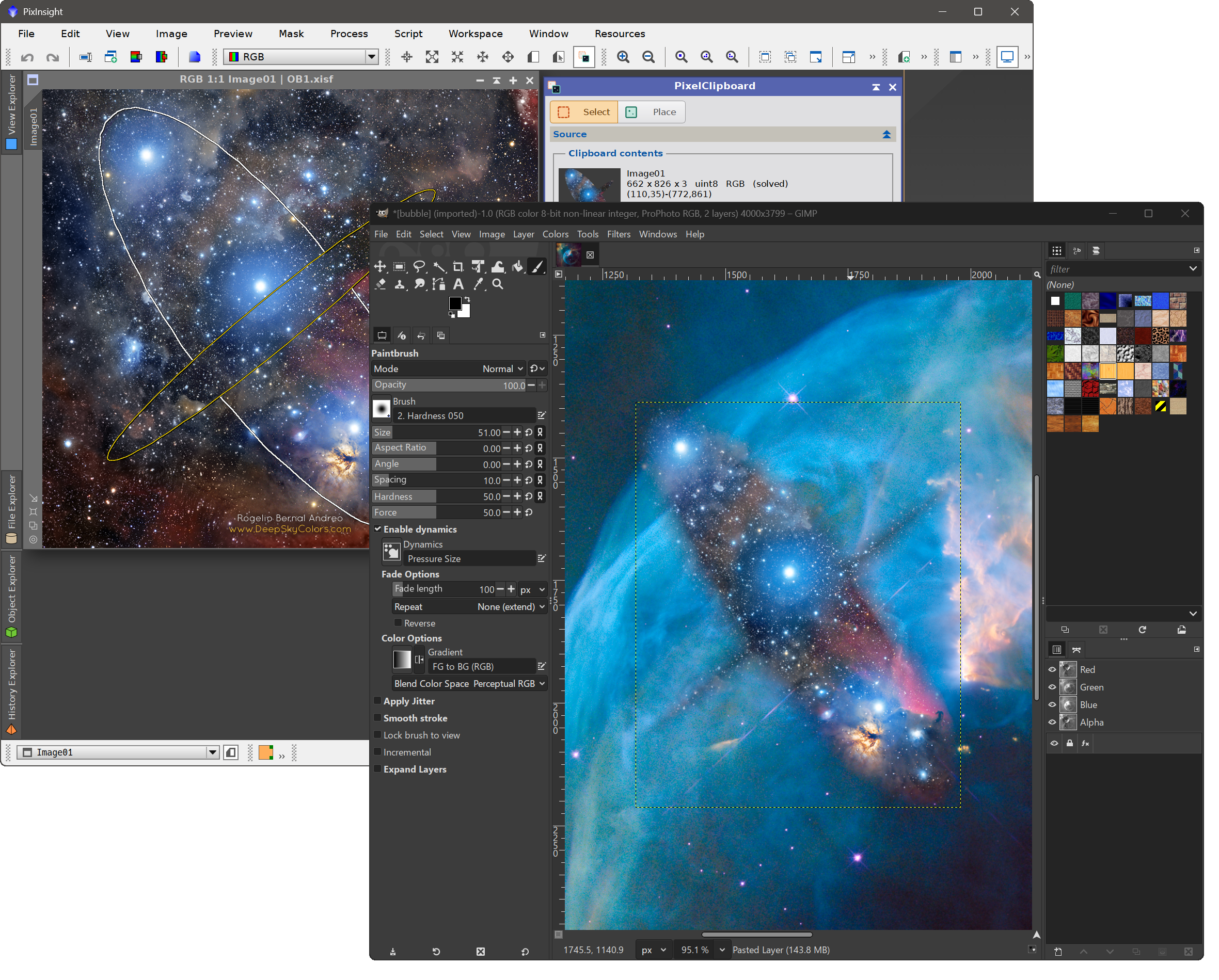
- The system clipboard. On Windows and macOS, PClip and the system clipboard are like one: copy in PClip, paste its contents using another application (say GIMP, or Photoshop); copy elsewhere (GIMP, etc), PClip will know.
- A normal PixInsight process. Pastes honor the target’s mask, appear in the image’s history, can undo/redo, and can be saved as process icons, or driven from scripts.
PClip is the tool for the jobs that used to mean exporting, or using workarounds like cropping copying and undoing for rectangular selections, and PixelMath for placement. Signing and branding an image, building a plate or a poster inside PixInsight, grafting a core exposure into a long one, building a composite from several images, reusing an element across a series, etc. Everything happens inside PixInsight, on the real pixel data, with the result in plain view before a single sample is written.
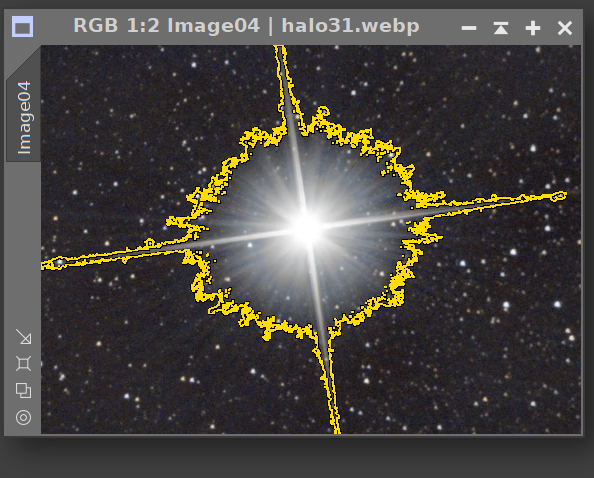
Using the magic wand to select (and later copy) a bright star.
Try it for free
PixelClipboard is not free, but you can try it for 30 days, fully functional. Every feature is available to everyone.
During the trial a small advertisement banner sits at the bottom of the interface, promoting other Deep Sky Colors tools. It is a single clickable image. It never interrupts our work, and it makes no attempt to track us, not even if we click it. Registering removes it.
Installing it, in three steps
Every PixInsight process made by Deep Sky Colors is installed through DSC Hub (DSC = Deep Sky Colors), our free PixInsight process. One address gets you the hub, and the hub gets you the rest.
1. Add this repository to PixInsight:
Where do I add it?
- Open PixInsight and go to RESOURCES > Updates > Manage Update Repositories.
- Click Add, and enter the address above exactly.
- Click OK to save it, then OK again to close the window.
2. Go to RESOURCES > Updates > Check for Updates. DSC Hub appears already selected, so click Apply and restart when PixInsight asks.
3. Open PROCESS > DeepSkyColors > DSCHub. You are now looking at every process we make, with its version, what it does and what changed in its latest release. Select PixelClipboard, click Download and install, and restart. It appears under PROCESS > DeepSkyColors.
DSC Hub is free, it installs only what you select, and it leaves the rest of your PixInsight setup alone.
Prefer to add one repository per process? PixelClipboard still has its own: https://repo.deepskycolors.com/PixelClipboard/
Note that individual repositories such as this could be discontinued.
We can set celestial mode, copy an area from an image,
and the paste will fall where it should be in the sky, on any solved image.








Register your copy, use it forever
PixelClipboard can be registered for personal use under a paid license. If you wish to use PixelClipboard for commercial, business, or organizational purposes, please contact us to discuss appropriate licensing options.
No subscriptions, all free v1.xx updates. Your copy is yours and once registered, it will never be deactivated. You can install and use it on any machine you have also installed PixInsight, for any of the available operating systems (your registration is valid for all offered platforms) or number of installations, as long as they are for you to use.
NOTE: After you make your purchase, you should receive an email from us, usually within 15 minutes. If, after 30 minutes you still haven’t received our message, please check your spam folder. If still nothing, contact us.
Any selection we copy with PClip can also be pasted on other applications.
PixelClipboard Documentation
PixelClipboard’s full documentation is accessible from within PixelClipboard itself – we just need to click on the Documentation button in PixelClipboard and it will appear in PixInsight’s Documentation browser. We have also made the same documentation available online, here:
The final area selected can be made of multiple individual selections
that we can adjust individually, before and after we copy.
Credits
PI LaunchPad was developed using the PixInsight Class Library. Any product derived from the PCL, including PI LaunchPad, must reproduce the following acknowledgment:
This product is based on software from the PixInsight project, developed by Pleiades Astrophoto and its contributors (http://pixinsight.com/).
The above statement refers to our use of the PCL to develop PI LaunchPad only. PI LaunchPad is developed independently, without any relation to or contributions from Pleiades Astrophoto.