
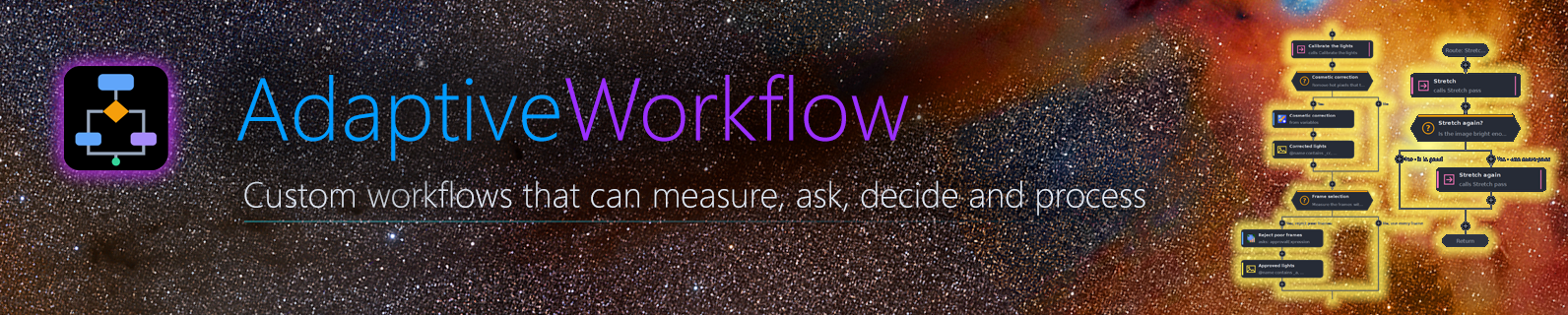
AdaptiveWorkflow for PixInsight
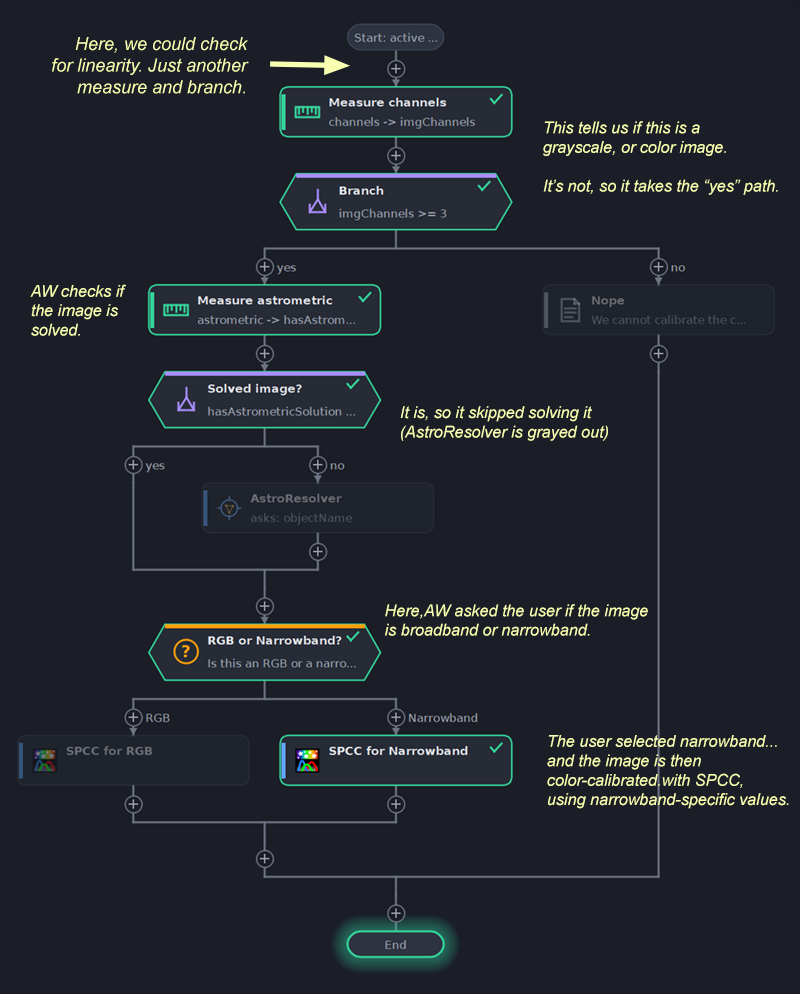
An entire OSC pre-processing session, making predetermined decisions, from beginning to end.
(the block highlighted in yellow is the current step)
 Welcome to AdaptiveWorkflow!
AdaptiveWorkflow runs a sequence of processes the way an operator would. It runs a process, asks which way to go, measures the image and chooses by the result, and carries on. We design that sequence once, as a workflow blueprint, blueprint for short, and run it whenever it is needed.
PixInsight offers a way to run several processes in a row, using the ProcessContainer. However, a ProcessContainer runs the same steps in the same way every time – it’s a sequential, static pipeline – and a real processing session is not like that. It depends on the data: is there a gradient, how noisy is the image, is it stretched already, is the star halo too large? Of course, ProcessContainer is mostly meant to be used to save some static recipes, or as a way to save a static sequence of processes, but it’s not a tool designed to offer real workflows. AdaptiveWorkflow is.
An AdaptiveWorkflow blueprint puts those typical processing questions into the sequence. Some can be asked to us when the workflow reaches them, and some the workflow answers by itself, by measuring the image whenever we need. We choose when or if a question is asked (or no questions at all), when and what to measure, etc.
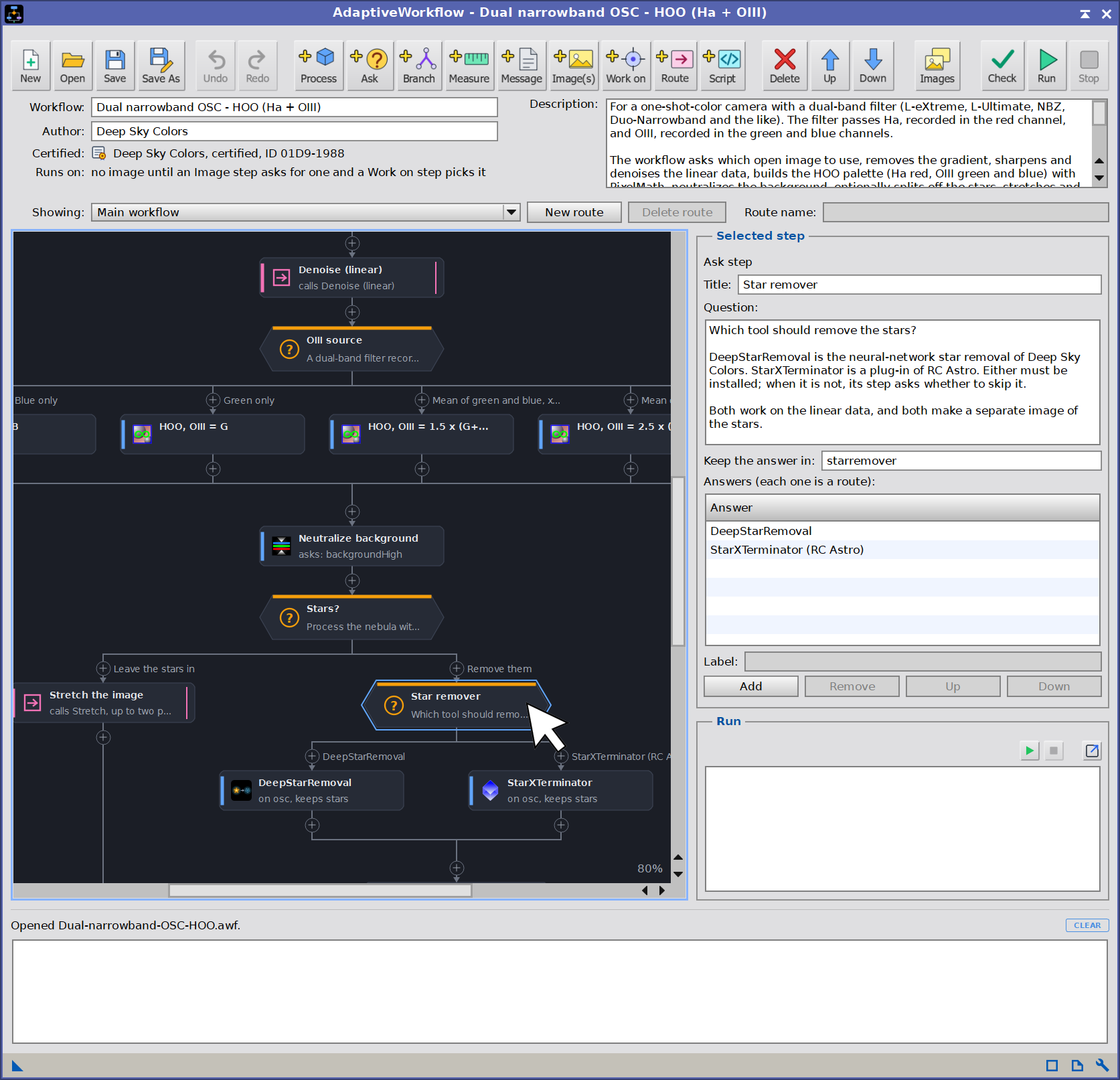
A blueprint is drawn as a flowchart, and the chart arranges itself, so there are no wires to cross and nothing to align by hand. We can drag process blocks to place them at any running spot in the chart, but everything else in the chart is automatically linked and arranged.
AdaptiveWorkflow can also be used as an excellent teaching and learning tool, as every workflow blueprint can be saved and shared. A small certificate signature helps validating authorship of blueprint files, so students know the files came from their instructors, for example.
AdaptiveWorkflow comes with eleven (11) different pre-written blueprints defining typical workflows for different kind of data sets:
- Simple OSC, RGB, dual and tricolor narrowband post-processing workflows.
- Quick post-processing workflows for both, noisy data, and space telescope quality data.
- Preprocessing workflows for both, OSC and mono data sets.
- A batch processing workflow to reduce measured noise with either NoiseX or MLDenoise.
- A single-task blueprint to increase color saturation on stars.
- A workflow to run MultiscaleGradientCorrection (MGC). It runs a solver if needed, applies SpectrophotometricFluxCalibration, verifies the MARS database, and finally runs MGC.
These blueprints are meant to be a learning resource, and a starting point for each of us, not as recipes that will give us a NASA APOD by running them on our images. For example, we should not expect that the preprocessing mono blueprint would calibrate every mono data set we throw at it, without some tweaks. Modify them to better suit your needs, or simply use them as templates to create your brand-new workflow blueprints.
A workflow blueprint can be just a few steps for a specific task…
Try it for free
AdaptiveWorkflow is not free, but you can try it for 30 days, fully functional. Every feature is available to everyone.
To use AdaptiveWorkflow after the trial period, you need to get your forever license below. No subscription fees! Your copy is yours to keep and use forever. A licensed copy also allows you to create certified workflow blueprint files – good for sharing. You would also receive free upgrades within the major version you purchased.
Installing it, in three steps
Every PixInsight process made by Deep Sky Colors is installed through DSC Hub (DSC = Deep Sky Colors), our free PixInsight process. One address gets you the hub, and the hub gets you the rest.
1. Add this repository to PixInsight:
Where do I add it?
- Open PixInsight and go to RESOURCES > Updates > Manage Update Repositories.
- Click Add, and enter the address above exactly.
- Click OK to save it, then OK again to close the window.
2. Go to RESOURCES > Updates > Check for Updates. DSC Hub appears already selected, so click Apply and restart when PixInsight asks.
3. Open PROCESS > DeepSkyColors > DSCHub. You are now looking at every process we make, with its version, what it does and what changed in its latest release. Select AdaptiveWorkflow, click Download and install, and restart. It appears under PROCESS > DeepSkyColors.
DSC Hub is free, it installs only what you select, and it leaves the rest of your PixInsight setup alone.
AdaptiveWorkflow is available for all platforms: Windows, Linux, and macOS (x64 and arm64). PixInsight 1.9.4 or later is required for the macOS arm64 version. PixInsight 1.9.5 is fully supported on all platforms.
Prefer to add one repository per process? AdaptiveWorkflow still has its own: https://repo.deepskycolors.com/AdaptiveWorkflow/
…and it can also define entire processing sessions with detailed processing steps, decisions, measurements, …

Register your copy, use it forever
AdaptiveWorkflow can be registered for personal use under a paid license. If you wish to use AdaptiveWorkflow for commercial, business, or organizational purposes, please contact us to discuss appropriate licensing options.
No subscriptions, all free v1.xx updates. Your copy is yours and once registered, it will never be deactivated. You can install and use it on any machine you have also installed PixInsight, for any of the available operating systems (your registration is valid for all offered platforms) or number of installations, as long as they are for you to use.
NOTE: After you make your purchase, you should receive an email from us, usually within 15 minutes. If, after 30 minutes you still haven’t received our message, please check your spam folder. If still nothing, contact us.
Create, run, and share your own pre and post-processing PixInsight workflows. Or learn from others.
AdaptiveWorkflow Documentation
AdaptiveWorkflow’s full documentation is accessible from within AdaptiveWorkflow itself – we just need to click on the Documentation button in AdaptiveWorkflow and it will appear in PixInsight’s Documentation browser. We have also made the same documentation available online, here:











Credits
AdaptiveWorkflow was developed using the PixInsight Class Library. Any product derived from the PCL, including AdaptiveWorkflow, must reproduce the following acknowledgment:
This product is based on software from the PixInsight project, developed by Pleiades Astrophoto and its contributors (http://pixinsight.com/).
The above statement refers to our use of the PCL to develop AdaptiveWorkflow only. AdaptiveWorkflow is developed independently, without any relation to or contributions from Pleiades Astrophoto.