
DynamicLasso for PixInsight

Ever wanted to use a lasso, marquee, or magic wand tool in PixInsight to help you create your masks? The wait is over!
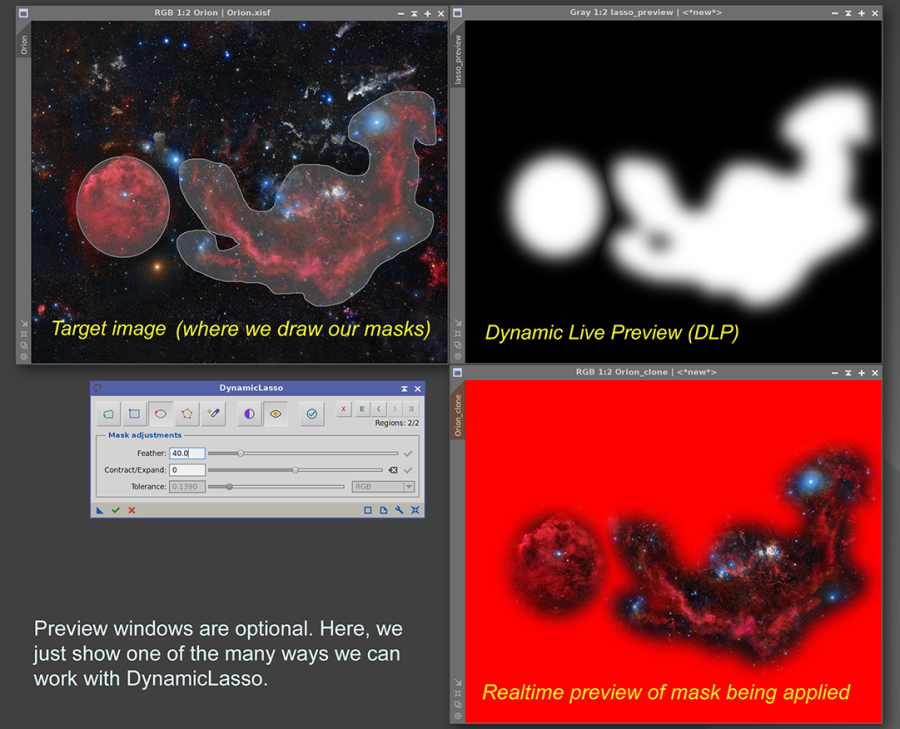
Welcome to DynamicLasso
* DynamicLasso is part of the PS DarkRoom Suite bundle.
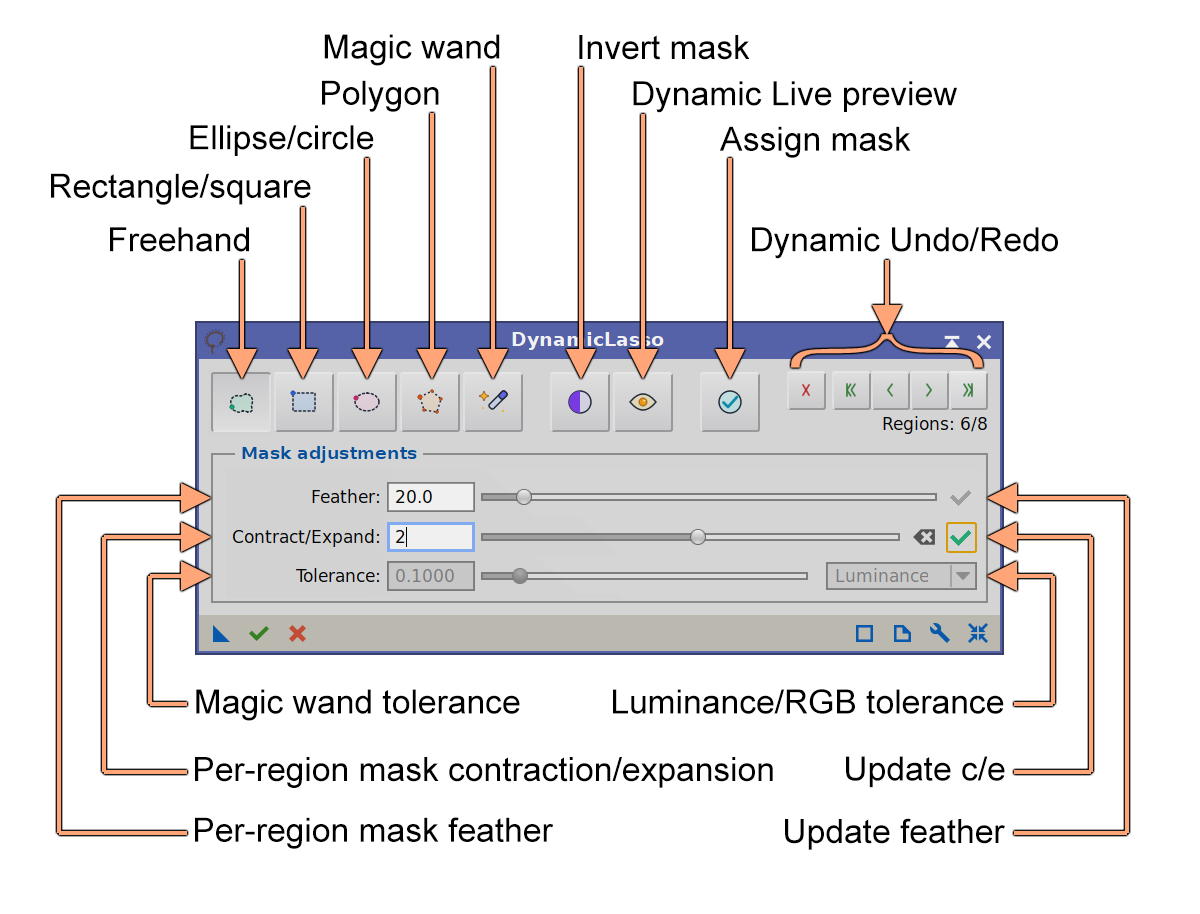
Welcome to DynamicLasso — a PixInsight process module for building grayscale masks by drawing regions directly on an image. Instead of relying on pixel value ranges or star detection, we trace the areas we want by hand — freehand, as a rectangle, an ellipse, a polygon, or by using the magic wand — and DynamicLasso turns those regions into a standard mask image we can apply to any view.
Each region we draw is a discrete, editable step. We can keep adding regions, subtract from what we have, soften the edges with feathering, grow or shrink the selection with contract/expand, and invert the whole result. Because every action is recorded in a history, we can undo and redo freely, and the complete selection is serialized into the process instance — so it can be saved, dragged to a process icon, and re-applied later.
Try it for free
DynamicLasso is not free, but you can try it for 30 days, fully functional. Every feature is available to everyone.
To use DynamicLasso after the trial period, you need to get your forever license below. No subscription fees! Your copy is yours to keep and use forever. You would also receive free upgrades within the major version you purchased.
Installing it, in three steps
Every PixInsight process made by Deep Sky Colors is installed through DSC Hub (DSC = Deep Sky Colors), our free PixInsight process. One address gets you the hub, and the hub gets you the rest.
1. Add this repository to PixInsight:
Where do I add it?
- Open PixInsight and go to RESOURCES > Updates > Manage Update Repositories.
- Click Add, and enter the address above exactly.
- Click OK to save it, then OK again to close the window.
2. Go to RESOURCES > Updates > Check for Updates. DSC Hub appears already selected, so click Apply and restart when PixInsight asks.
3. Open PROCESS > DeepSkyColors > DSCHub. You are now looking at every process we make, with its version, what it does and what changed in its latest release. Select DynamicLasso, click Download and install, and restart. It appears under PROCESS > DeepSkyColors.
DSC Hub is free, it installs only what you select, and it leaves the rest of your PixInsight setup alone.
Prefer to add one repository per process? DynamicLasso still has its own: https://repo.deepskycolors.com/DynamicLasso/










Register your copy, use it forever
DynamicLasso can be registered for personal use under a paid license. If you wish to use DynamicLasso for commercial, business, or organizational purposes, please contact us to discuss appropriate licensing options.
You can install and use your registered copy of DynamicLasso on any machine you also have PixInsight installed, regardless of operating system (your registration is valid for any and all platforms) or number of installations, and you can use it for as long as you want (lifetime license). Just click on the "Buy DynamicLasso" button. You'll be redirected to PayPal.
NOTE: After you make your purchase, you should receive an email from us, usually within 15 minutes. If, after 15 minutes (but not before that) you still haven't received our message, please check your spam folder. If still nothing, contact us.
DinamycLasso Full Documentation
DynamicLasso's full documentation is accessible from within DynamicLasso itself - we just need to click on the Documentation button in DynamicLasso. We have also made the same documentation available online, here:
Credits
DynamicLasso was developed using the PixInsight Class Library. Any product derived from the PCL, including DynamicLasso, must reproduce the following acknowledgment:
This product is based on software from the PixInsight project, developed by Pleiades Astrophoto and its contributors (http://pixinsight.com/).
The above statement refers to our use of the PCL to develop DynamicLasso only. DynamicLasso is developed independently, without any relation to or specific contributions from Pleiades Astrophoto.