
SurveyOverlay for PixInsight
 Welcome to SurveyOverlay
SurveyOverlay fetches a professional sky survey for the exact field of our image and creates a new image with the same dimensions and the same geometry as ours: star for star and pixel for pixel, the survey image lines up with our data, ready to be compared with it. Our image itself is not changed.
The sky has been mapped many times over in light our cameras do not record, and to depths a single night does not reach. The Planck and IRAS dust maps show galactic cirrus no matter how faint it is in visible light. The H-alpha surveys trace ionized hydrogen across the whole sky. GALEX shows the ultraviolet, WISE and 2MASS the infrared, and the DSS, Pan-STARRS and the DESI Legacy Surveys give a deep optical view of almost any field. With one of them registered to our image, questions that usually take guesswork become a matter of looking: is that faint smudge real nebulosity, or is it a gradient? Where is the background truly empty? What does this object look like in the infrared?
SurveyOverlay needs just two things: an image with an astrometric solution, and an Internet connection. It reads where the image points, connects to the Strasbourg astronomical Data Center servers for that piece of the survey we chose, and reprojects it through our image’s own solution, distortion corrections included. Our image is never modified: the survey always arrives as a new image.
Thirty-one surveys are built in, ten of them in color, and any other image survey published in the HiPS network can be fetched by typing its identifier.
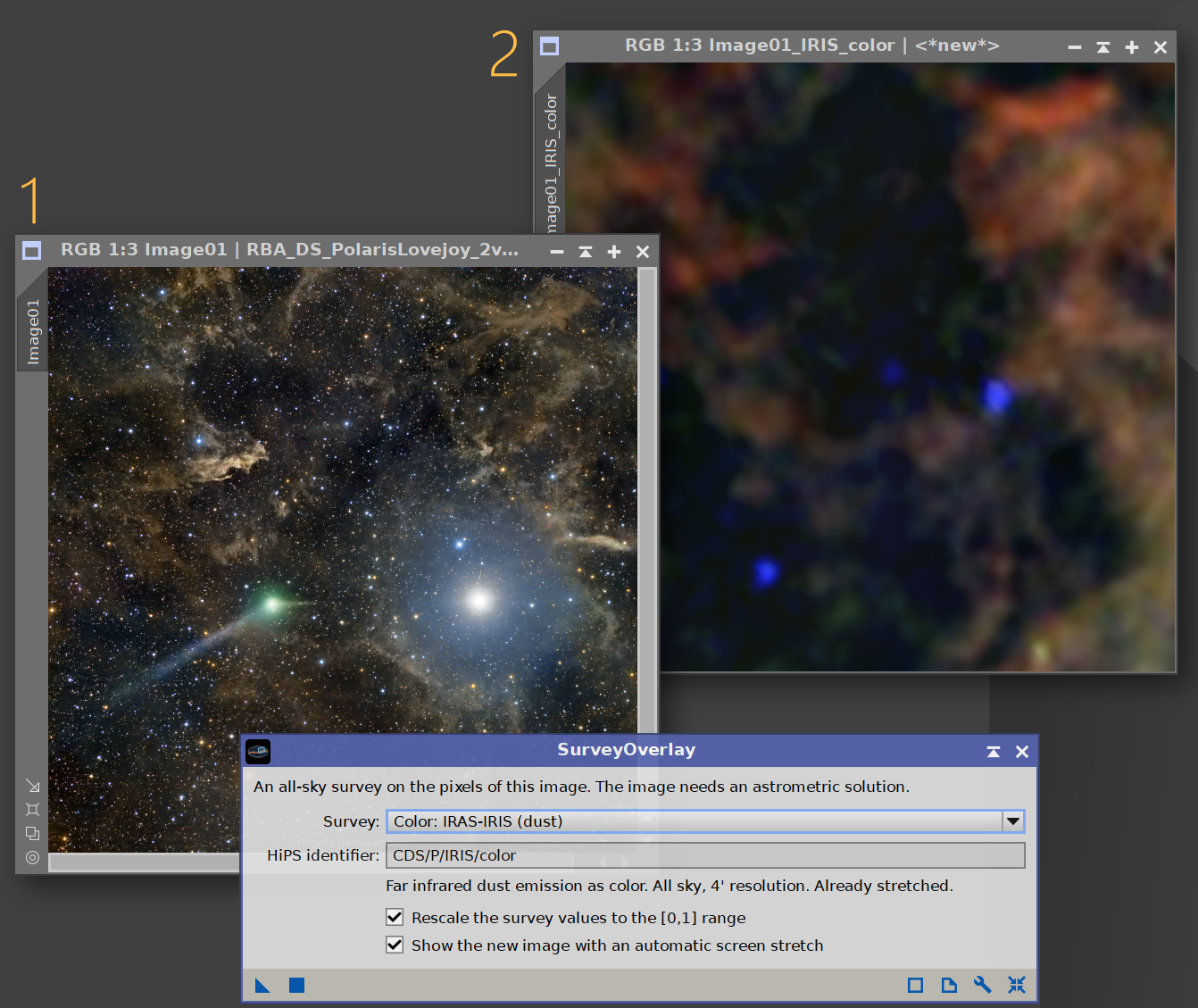
Our image (1) and the same field as a dust survey shows it (2), delivered by SurveyOverlay as a new image of the same size, orientation and astrometric solution. The faint structure in our background is in the survey too: it is real.
100% free
SurveyOverlay is free and fully functional for personal use. There is no trial period and nothing expires: every feature is available to everyone, forever.
Installing it, in three steps
To install and start using SurveyOverlay:
1. Add this repository to PixInsight:
Where do I add it?
- Open PixInsight and go to RESOURCES > Updates > Manage Update Repositories.
- Click Add, and enter the address above exactly.
- Click OK to save it, then OK again to close the window.
2. Go to RESOURCES > Updates > Check for Updates. SurveyOverlay appears already selected. Click Apply and restart when PixInsight asks.
3. You’re done. To run the process: PROCESS > DeepSkyColors > SurveyOverlay
AstroResolver is available for all platforms: Windows, Linux, and macOS (x64 and arm64). PixInsight 1.9.4 or later is required for the macOS arm64 version. PixInsight 1.9.5 is fully supported on all platforms.
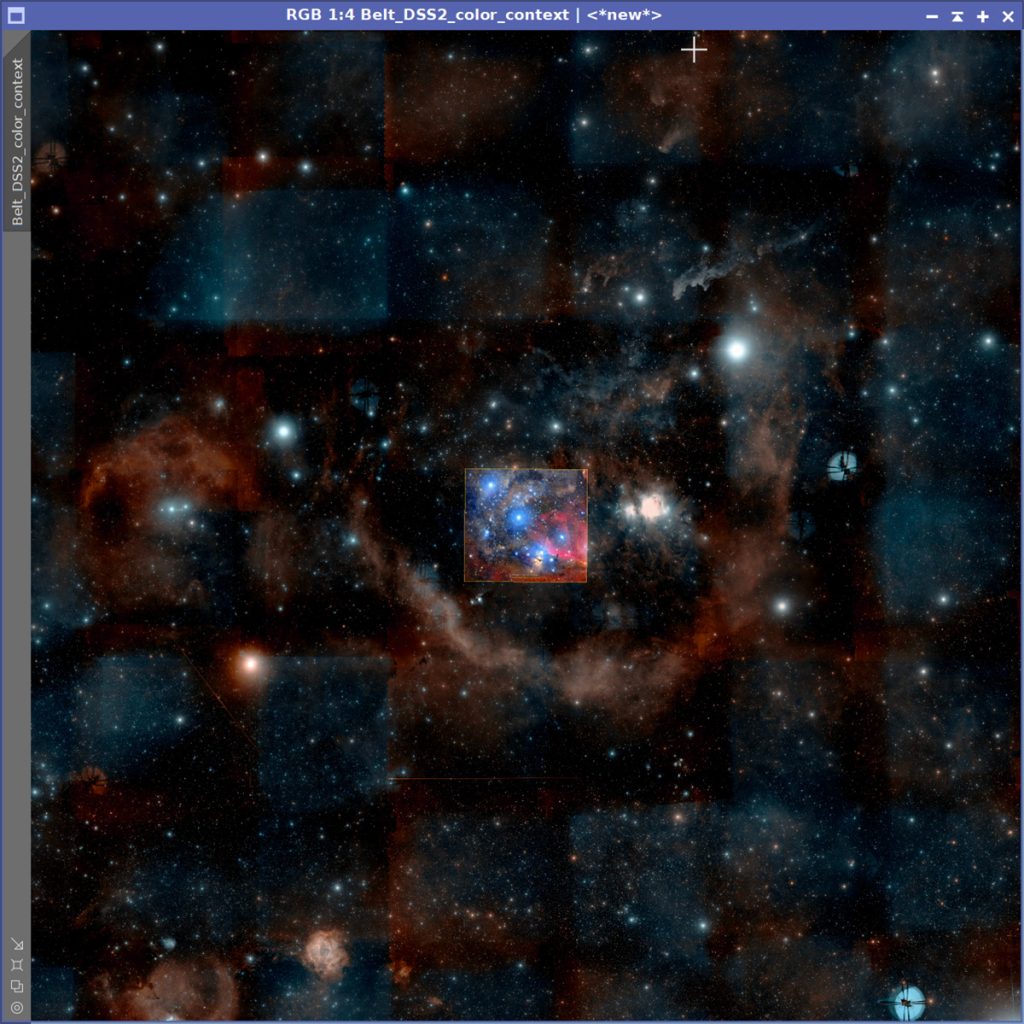
We can also do the opposite, and have SurveyOverlay automatically place our image over a survey of choice with a larger FOV. This adds context to our images.
SurveyOverlay Full Documentation
SurveyOverlay's full documentation is accessible from within SurveyOverlay itself - we just need to click on the Documentation button in SurveyOverlay. We have also made the same documentation available online, here:


Credits
SurveyOverlay was developed using the PixInsight Class Library. Any product derived from the PCL, including SurveyOverlay, must reproduce the following acknowledgment:
This product is based on software from the PixInsight project, developed by Pleiades Astrophoto and its contributors (http://pixinsight.com/).
The above statement refers to our use of the PCL to develop SurveyOverlay only. SurveyOverlay is developed independently, without any relation to or specific contributions from Pleiades Astrophoto.