
CatalogStarColor for PixInsight
Real star color from measured spectra – CatalogStarColor in action!
Move the sliders left and right.
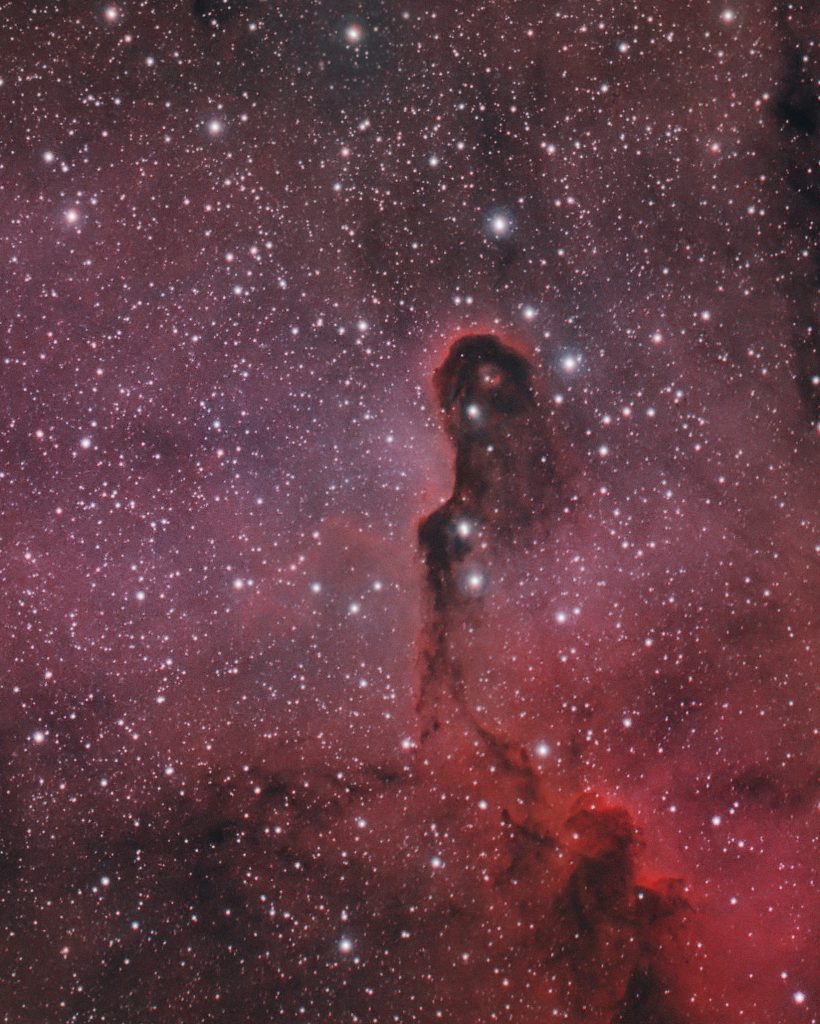
 Welcome to CatalogStarColor
CatalogStarColor does one thing: it colors the stars in images that have an astrometric solution with their real color, according to each star's spectral data.
This needs to be clearly said upfront: CatalogStarColor is not a color calibration tool. CatalogStarColor replaces the color of the stars in our images, ignoring whatever color they had originally. Each star receives the color it should have: it's not arbitrary or a choice, but a measurement. However, it adds data to our image that comes from elsewhere: the Gaia spectral data. As a comparison tool this is actually helpful. As s color rendition tool, that is a choice.
More specifically, CatalogStarColor takes the spectrum of each star in our field, passes it through the transmission curves of a set of RGB filters and a sensor, exactly as an exposure through those filters would, and obtains the red, green and blue the star would have shown.
This comes handy in some situations:
- Giving a full-spectrum color look (RGB) to the stars in narrowband images (a choice).
- Applying it to (L)RGB images to compare the color we've obtained against the color we should have.
- Giving star color a push towards what their spectra says they should look like (more choices).
Only color changes. The luminance of every pixel is the same before and after, so the stars keep their brightness, their profile and their size. The nebula under and around a star keeps its own color. Pixels outside the stars are not touched at all.
The image needs an astrometric solution, which is how the catalog stars are located on it, and PixInsight needs the Gaia DR3/SP database, the same one SpectrophotometricColorCalibration uses.
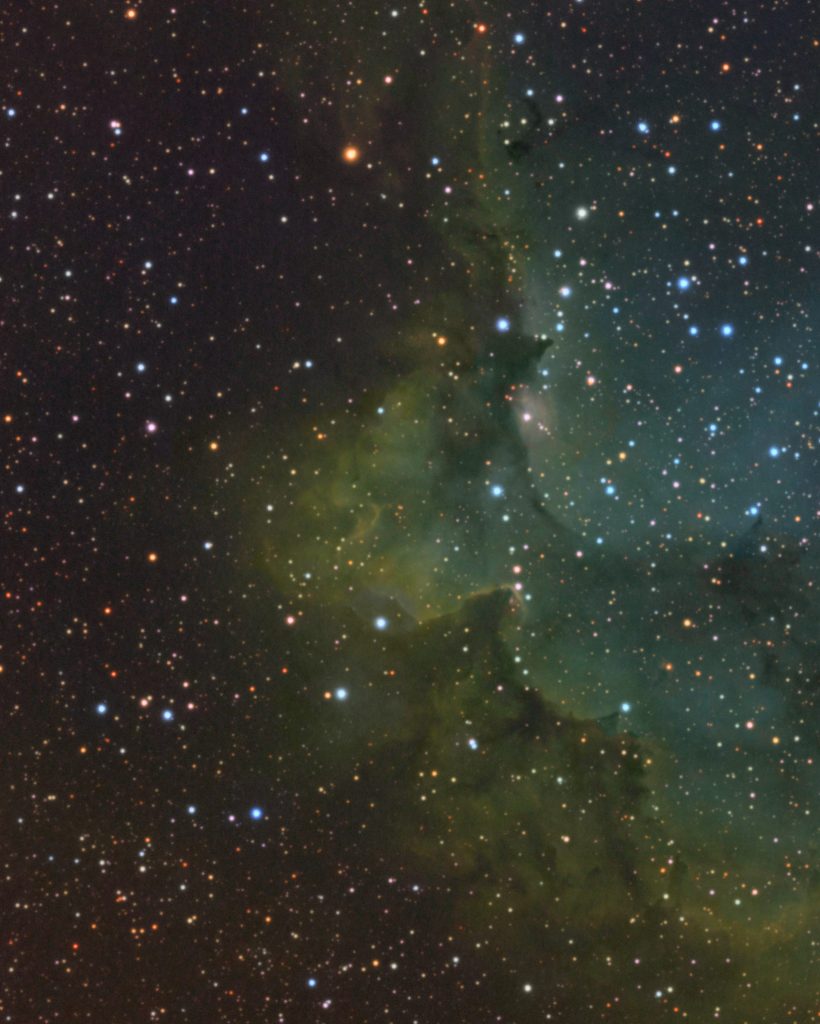
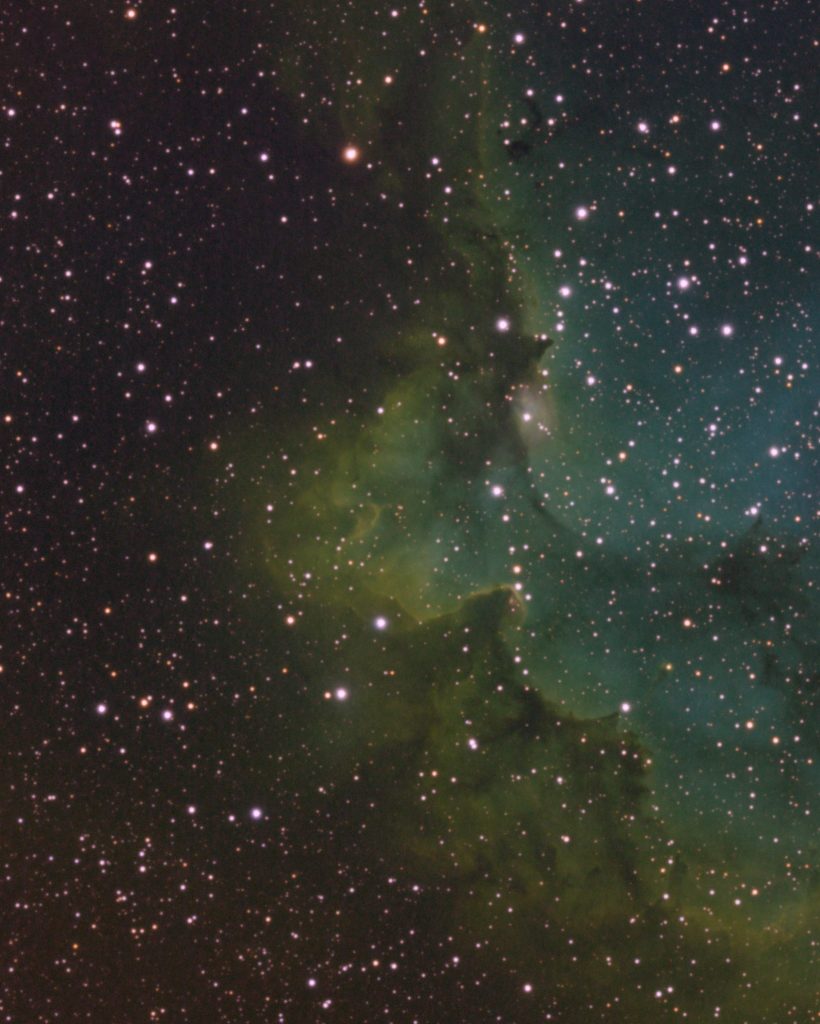
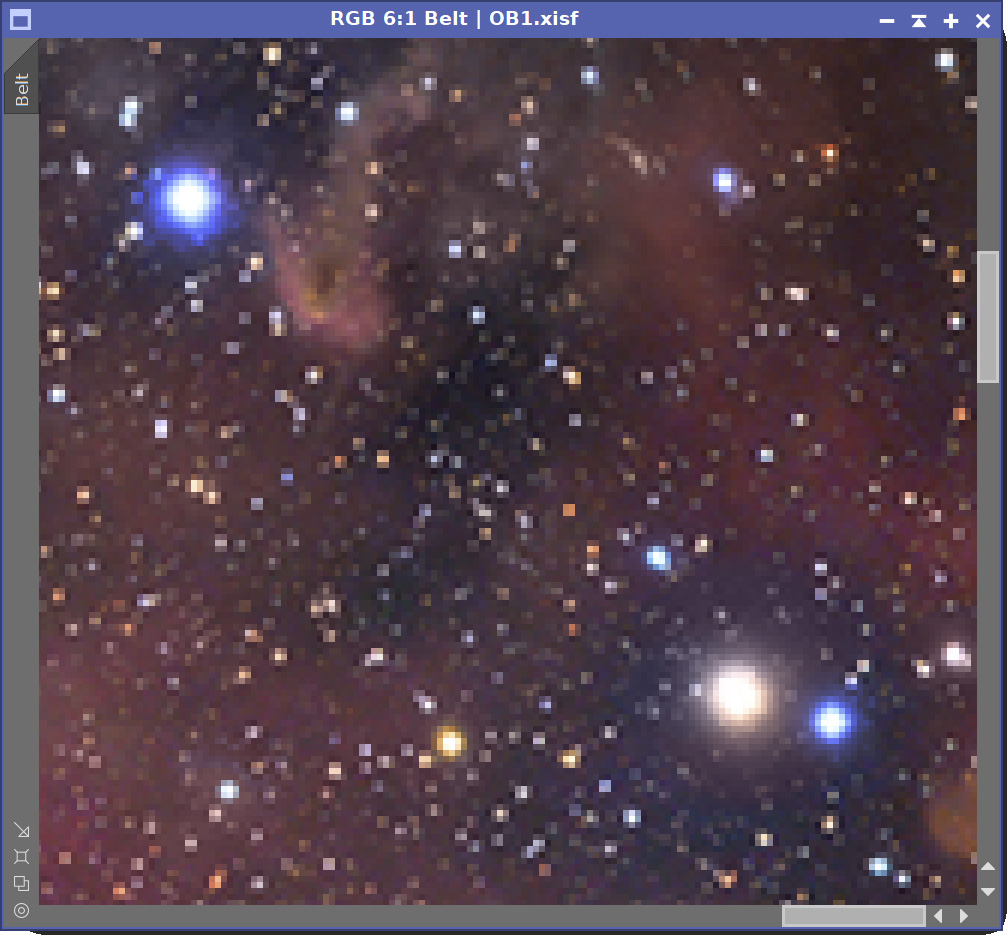
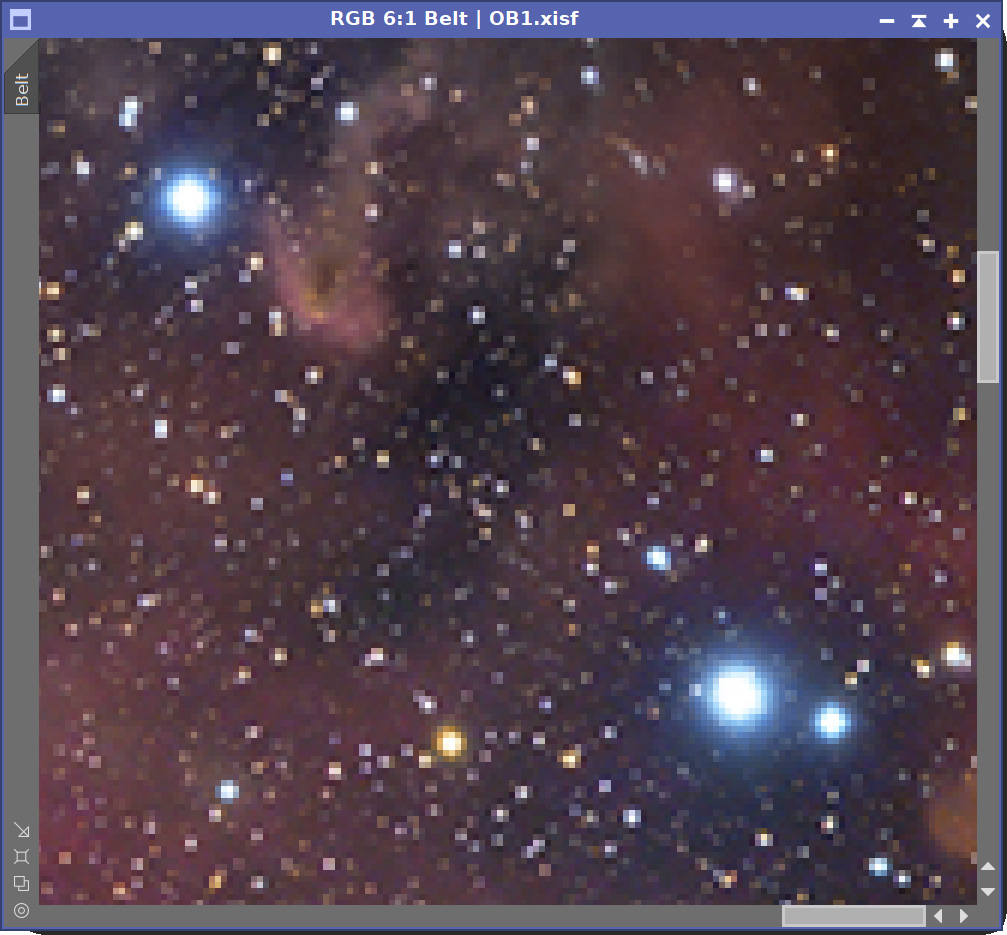
Comparing a normal calibrated image (left) with what CatalogStarColor says (right).
Pretty good, but… it looks like one of my calibrated stars was blue when it shouldn’t!
Try it for free
CatalogStarColor is not free, but you can try it for 30 days, fully functional. Every feature is available to everyone.
To use CatalogStarColor after the trial period, you need to get your forever license below, which is a one-time payment of US$ 5.99. No subscription fees! Your copy is yours to keep and use forever. You also receive free upgrades within the major version you purchased.
Installing it, in three steps
Every PixInsight process made by Deep Sky Colors is installed through DSC Hub (DSC = Deep Sky Colors), our free PixInsight process. One address gets you the hub, and the hub gets you the rest.
1. Add this repository to PixInsight:
Where do I add it?
- Open PixInsight and go to RESOURCES > Updates > Manage Update Repositories.
- Click Add, and enter the address above exactly.
- Click OK to save it, then OK again to close the window.
2. Go to RESOURCES > Updates > Check for Updates. DSC Hub appears already selected, so click Apply and restart when PixInsight asks.
3. Open PROCESS > DeepSkyColors > DSCHub. You are now looking at every process we make, with its version, what it does and what changed in its latest release. Select CatalogStarColor, click Download and install, and restart. It appears under PROCESS > DeepSkyColors.
DSC Hub is free, it installs only what you select, and it leaves the rest of your PixInsight setup alone.
Prefer to add one repository per process? CatalogStarColor still has its own: https://repo.deepskycolors.com/CatalogStarColor/
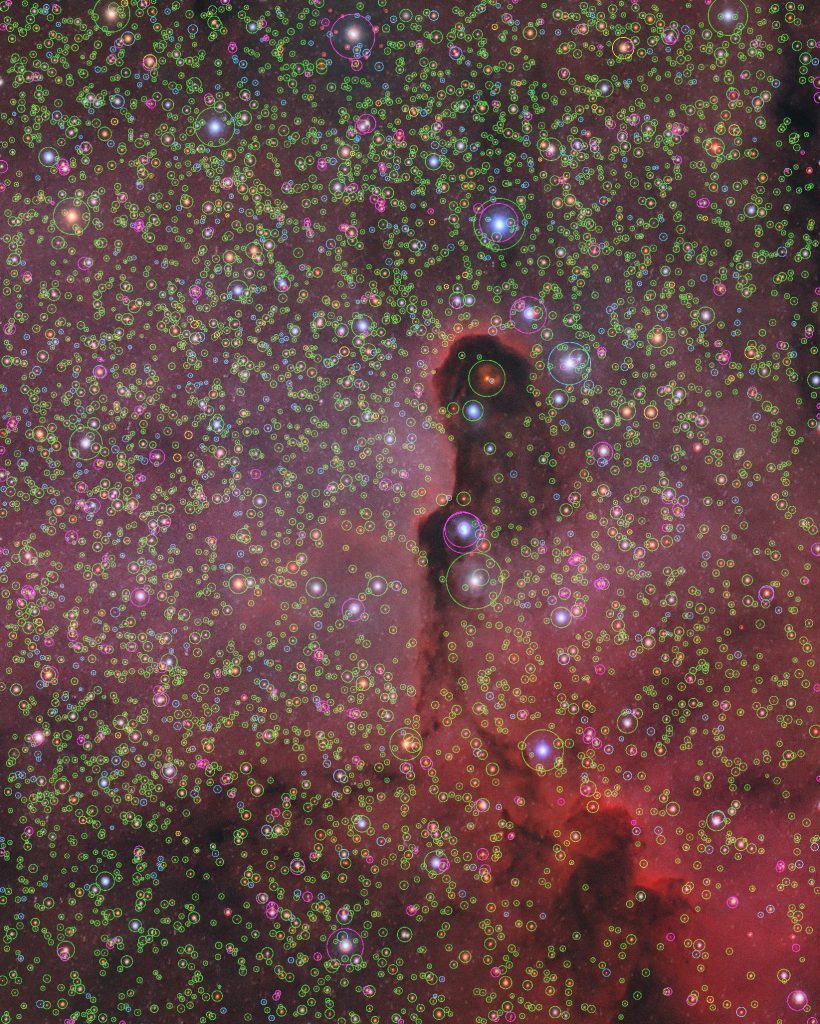
An optional star map lets us see what changed and how.
Green: color came from the star’s BP/RP spectrum;
Magenta: also BP/RP spectrum; Cyan: from color index;
Yellow: average/contaminated; Red: color unchanged;
Register your copy, use it forever
CatalogStarColor can be registered for personal use under a paid license. If you wish to use CatalogStarColor for commercial, business, or organizational purposes, please contact us to discuss appropriate licensing options.
No subscriptions, all free v1.xx updates. Once your copy is registered, it will never be deactivated.You can install and use it on any machine you have also installed PixInsight, for any of the available operating systems (your registration is valid for all offered platforms) or number of installations, as long as they are for you to use, for as long as you want (lifetime license). Just click on the "Buy CatalogStarColor" button. You'll be redirected to PayPal.
I appreciate your support!
NOTE: After you make your purchase, you should receive an email from us, usually within 15 minutes. If, after 30 minutes (but not before that) you still haven't received our message, please check your spam folder. If still nothing, contact us.
CatalogStarColor Full Documentation
CatalogStarColor's full documentation is accessible from within CatalogStarColor itself - we just need to click on the Documentation button in CatalogStarColor. We have also made the same documentation available online, here:










Credits
CatalogStarColor was developed using the PixInsight Class Library. Any product derived from the PCL, including CatalogStarColor, must reproduce the following acknowledgment:
This product is based on software from the PixInsight project, developed by Pleiades Astrophoto and its contributors (http://pixinsight.com/).
The above statement refers to our use of the PCL to develop CatalogStarColor only. CatalogStarColor is developed independently, without any relation to or specific contributions from Pleiades Astrophoto.