
DSPX
Up to 10×
faster pre-processing same quality
Change the way you think about pre-processing. Not hours, minutes!
Python scripts
Run Siril scripts, safely
...and our growing list of DSPX scripts. Or write your own
Almost any GPU
NVIDIA, AMD, Intel, Apple
Plug and play, no struggles.
Windows, macOS and Linux
Familiar, but new
No baggage
No legacy code, no bolted-on features.
Loaded, but lean.
A modern engine built from scratch for today’s computers.
Fast because it’s new. No shortcuts!
Safety, quality, then performance.
DSPX doesn’t just let us change its look, but also the way we work with it.
The screenshots below are from DSPX using different configurations.
DSPX Dark
DSPX Official “dark” environment
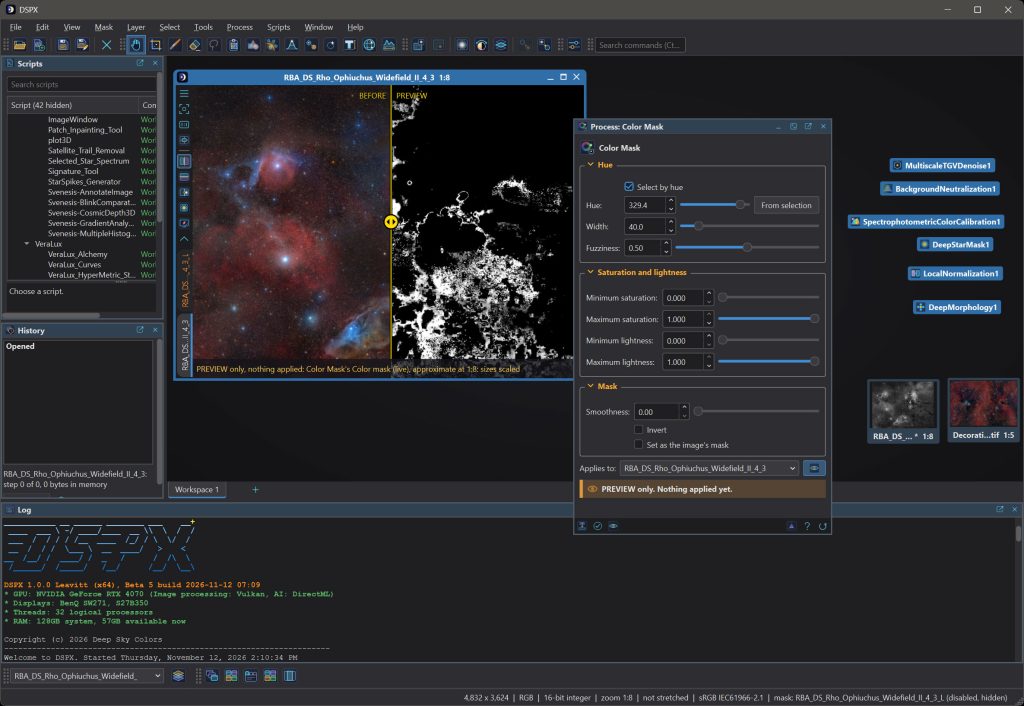
DSPX’s Fix Inside
The look and feel many of us learned with and already know well
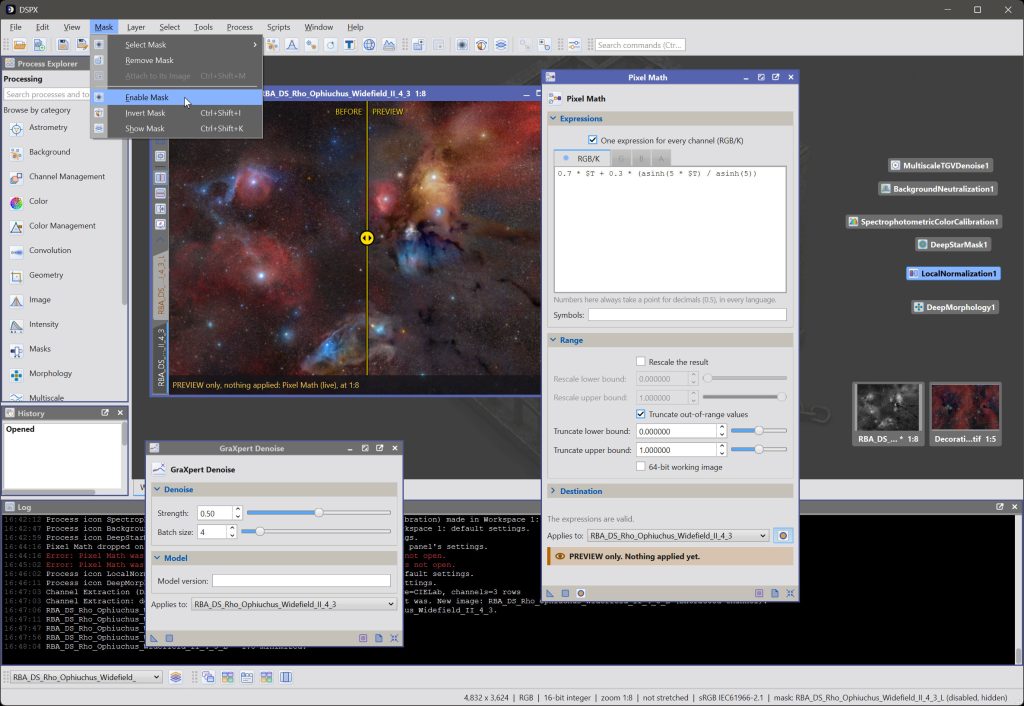
DSPX’s PhotonChop
Influenced by the most popular photo editing software.
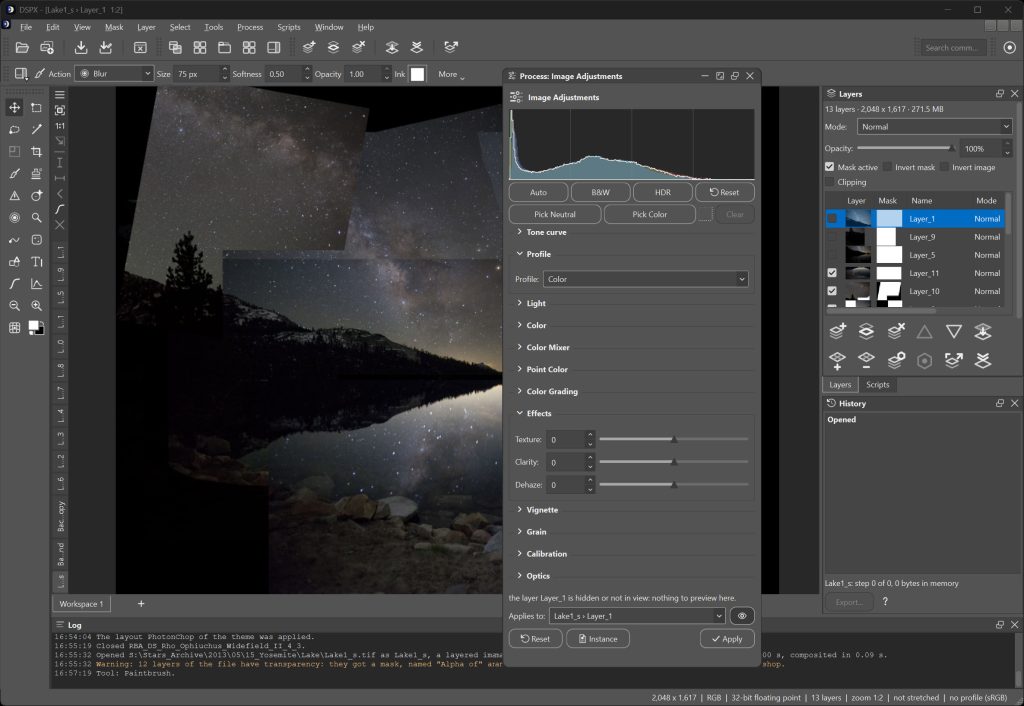
DSPX’s Syrup
Inspired by a great, well-known free alternative
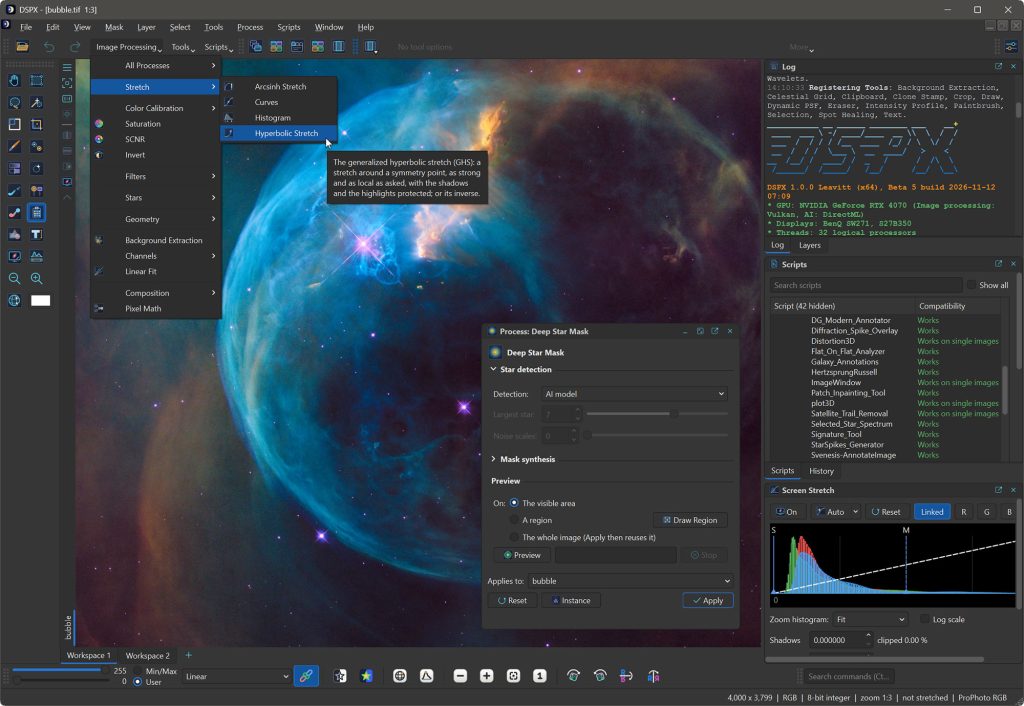
DSPX’s Psycho’n
A nod to a newer studio app we admire
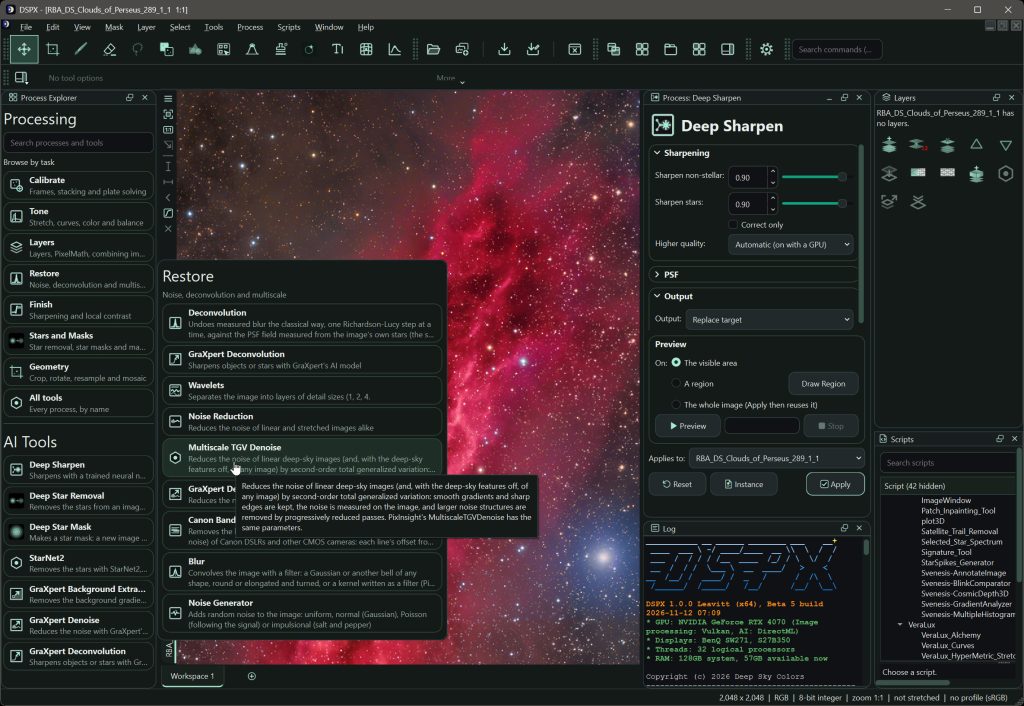
And many more!
Welcome to DSPX

DSPX is a modern astrophotography processing workspace built from scratch in 2026 to produce the best results from our data at blazing speeds, featuring an arsenal of over 200 top-tier processes, scripts and tools, and an interface that adapts to what we know: from novices who want things easy, to the most demanding astrophotography masters.
The graphic card (GPU) is used all over the place, not just with the AI/Machine Learning tools. Whenever the graphics card can do the work faster, it does. Deconvolution, sharpening, noise reduction, stretching, layers, live previews of typically slow processes, and the heaviest steps of pre-processing run on it. Whenever a multi-threaded CPU is faster, DSPX uses that, automatically. No excuses.
In addition to offering superior performance and a more capable interface, for those of us familiar with other astro-processing programs, we can make it look and work the way we’re used to. Still, underneath, it is all new, lean, fast, developed from scratch.
It runs on Windows, macOS and Linux. It reads and writes XISF, FITS, layered TIFF/XISF/PSD files, and all the popular formats. It puts pre-processing, plate solving, layers, the full Deep Sky Colors toolbox (over a $150 value), and over 200 processes, tools, and scripts (and growing), all in one processing workspace that adapts to our workflow. And DSPX just got here!
Some of the many highlights
- DSPX priorities, in order
1) Safety, 2) Quality, 3) Performance. No shortcuts. Run tests yourself, measure the results, and share your numbers. - GPU wherever it matters
Deconvolution up to 30x, texture sharpening up to 40x faster, HDR Compression up to 12x, etc. - A complete, ultra-fast pre-processing engine
Smart hands-free workflows for generating our master files, at speeds never seen before, without compromising quality. - Do the thing you used to. Familiar interface, tools and workflows
Process icons, masks, processes, drag and drop to apply, and a long etc. - And everything else you might have been missing.
In-image live previews, docked panels, layers, selections without masks…or masks, embedded launchpads, layouts, themes, running and creating adaptive workflows, and much more. - The entire Deep Sky Colors toolbox
Deep Star Removal, Catalog Star Color, Deep Sharp, Deep Morphology, Deep Star Mask, Survey Overlay, Subframe Studio, launchpads, etc. They’re all in DSPX, and new ones will keep coming! Licensing all these processes for PixInsight can cost over $150. DSPX has them all, included. - One window, start to finish
Everything we need for pre and post-processing, including final edits, touchups and adjustments (no more finishing in Photoshop or Lightroom). - Guided workflows
Define your adaptive workflows, save them, reuse them. Use workflows created and signed by others. - Safe Mode
Safety is our top priority. Unlike most other script-running astro-applications, DSPX runs scripts inside a sandbox (Safe Mode), so our files and our system are better protected from malicious scripts. Nothing is unbreakable, but we believe that out of all the astro-processing applications, today DSPX offers the safest environment for running external scripts, even more so for inexperienced users. All even before we implement code-signing, which is coming soon anyway. - Siril Python scripts, safely!
Run your favorite Siril scripts from DSPX. Lighthouse, the Veralux, syQon and other suites, and over 60 supported official Siril scripts install automatically. They run in Safe Mode, meaning it’s technically safer to run Siril scripts in DSPX than in Siril itself. - DSPX Scripts, safely!
Use our own DSPX Python Library and DSPX’s full-featured editor and debugger to create powerful Python scripts that drive DSPX. Run other people’s scripts too. They all run in the sandbox so , safely. - Full history
Undo, compare, and save any step as a reusable process. Global, and also per tool. Before/After slide at any zoom, and more. - Windows, macOS and Linux, for the world
DSPX ships in eight languages. New languages can easily be added (instructions and templates for AI translation agents provided).
These are just some of the highlights. Then, there are many little gems we wish we’ve had long ago. Like, after updating to a new version, if we are not happy, we can revert to the previous one with a couple of clicks; or Ctrl+K to find any command, script, tool or search the documentation. And the list goes on…
Try it for free
DSPX is not free, but you can try it for 30 days, fully functional. Every feature is available to everyone.
To use DSPX after the trial period, you need to get your forever license below. No subscription fees! Your copy is yours to keep and use forever. You would also receive free upgrades within the major version you purchased.
Click on your platform to download the installer/package:
- Windows
- macOS (Apple silicon, arm64)
- macOS (Intel, x64) – Coming soon!!
- Linux AppImage
- Linux tarball
MINIMUM REQUIREMENTS
| Windows |
|
| macOS |
|
| Linux |
|
| All three |
|
Register your copy, use it forever
DSPX can be registered for personal use under a paid license. If you wish to use DSPX for commercial or business purposes, or need a group license, please contact us to discuss appropriate licensing options.
No subscriptions, all free v1.xx updates. Your copy is yours and once registered, it will never be deactivated.
Launch Offer!
| Purchase by | Pay (US $) | |
| November 30, 2026 | $32.10 | <<< This is now!! |
| December 15, 2026 | $43.21 | |
| January 1, 2027 (final price) | $69.96 |
The license allows for up to three simultaneous installations, on any of the offered platforms: Windows, Linux, and macOS (x64 and arm64).
Just click on the “Buy DSPX” button. You’ll be redirected to PayPal.
We appreciate your support! It helps making DSPX better every day.
NOTE: After you make your purchase, you should receive an email from us, usually within 15 minutes. If, after 30 minutes (but not before that) you still haven’t received our message, please check your spam folder. If still nothing, contact us.
DSPX FAQ (Frequently Asked Questions)
The Project
DSPX was created and is being maintained by me, Rogelio Bernal Andreo, aka RBA. Owner of DeepSkyColors.com (this web site), author of the book “Mastering PixInsight” (over 5,000 copies sold) and other astro books, creator of over twenty modules/processes for PixInsight, featured on NASA’s APOD more than 80 times, and, according to what many have told me, one of the most authoritative voices on PixInsight from its early years.
DSPX can look awfully familiar, and behave in similar ways as other programs do, because it CAN. Themes and layouts are meant to change looks and behavior, and themes such as Syrup, Fixed Inside, PhotonChop or Psycho’n are heavily inspired in the look and behavior of other popular image editing tools. But they’re just themes and layouts. Inside, it’s all DSPX’s own engine. 100%
Also, DSPX is hardly a ripoff. When the person behind the project has been using “X” software almost exclusively for 18 years, written books about it and developed over 20 processes, it’s going to show, but at the same time, a very large number of DSPX features simply don’t exists in “X”, and others only exist because of the DeepSkyColors processes. As for similarities with the processes themselves, see points 3 and 4 below.
During the entire development of DSPX, past, present, and foreseeable future:
AI coding assistants have been used extensively in the development of DSPX. But there’s also a lot more human coding than what’s probably necessary nowadays.
All the time spent on only the development of DSPX can be divided, roughly, like this:
- Planning, testing, reviewing, and everything else – with and without AI agents: 55%
- Code: Working with AI agents: 35%
- Code: Working with VisualStudio and other development tools: 10%
Most of the foundation classes and structures were defined at the code level, not with prompts defining functionality, but defining the core structures of DSPX. As the project grew, the involvement of AI agents also grew. Agents are never given full independence. Diffs continue being selectively analyzed at the code level, quick edits are still done manually (it’s faster!) This is one of the reasons why the code is not open source, at least for now. Perhaps when the platform has been widely used and improved, and the code is well settled.
A weekend project… A weekend project gives us a tool that we happily give away the next Tuesday. It is not a product that requires extensive testing in over 10,000 areas, and that it will demand supporting it in the long run, perhaps to a wide audience, while keeping up with these changing times. DSPX started in June 2026, and as of November 2026, there are nearly 2,000 hours of real human work invested in it, plus many more in machine-driven work. Only running preprocessing tests while fine-tuning the process has taken over 300 hours alone. And yet, this is only the beginning of what we hope is a long, fun and productive journey for anyone who wants to jump on board.
Long story short. Or as short as I can.
In June 2026 I started working on a full featured replacement for WBPP: PreProcessingStudio or PPS. My focus was one thing: maintain quality, multiply speed. Good to also know that, as I was also writing many other processes for PixInsight, I decided to make their “engine” part completely separate from the PCL (PixInsight Class Library), ensuring they could be used outside of PixInsight. Perhaps I knew something without really knowing it yet.
The following weeks, I launched other modules, even a couple that required training a ML model, but the complexity of PreProcessingStudio kept me working on it, for months.
Early October 2026, Juan Conejero, creator of PixInsight posts new rules for developers like me. The rules killed a process I had launched two days earlier, throwing away over 150 hours of my work on that module. The rules also affected almost every of my modules, one way or another. Then, a few days later, a new version of the rules prohibited 3rd party developers to write tools that could be seen as replacement of certain existing PixInsight tools, mentioning specifically the entire preprocessing set of processes. Precisely what PreProcessingStudio was aiming at doing, faster and hopefully better.
I don’t know how many hours I had spent working on PreProcessingStudio. Several hundred hours for sure. And they suddenly were all… wasted? I wasn’t pissed (drama is not my go-to way to cope), but I was sad. I accept their reasoning “critical architectural components define the image processing and software development philosophy and methodology of PixInsight” (CPD Rule 5-10).
Given that Juan and Vicent (co-founder of PixInsight) have made crystal clear multiple times over the years that they have no desire nor intention to collaborate with me (quite the contrary, Vicent has insulted me publicly in the PixInsight forum, and Juan was fine with it), after everything that came from these new rules, seeing PreProcessingStudio was going to the garbage, I thought: “I don’t want to throw all this away… Maybe I should…?” And I did. I departed from my favorite software for the past 18 years and started something new, where I would not be limited to the things the PCL or someone else’s rules allow. Not as a rebel act, but because it made a lot of sense, and gave me the freedom to develop astro-processing tools without limits.
So, taking advantage of a basic Windows GUI shell I wrote back in June 2026 as a sandbox to test my processes without PixInsight, I started defining the basic architecture, bottom up, until it became a full-featured program, and yadda yadda yadda… hundreds of hours later DSPX was born.
Getting started and cost
DSPX starts with a free 30-day trial that has every feature, and the trial needs no payment details, no email address nor any other information from you. A license currently goes for 32.10 US$, about 1/3 of what others charge for a single module. It won’t be at that price for long, though!
When licensed, the license is perpetual, for one person, and works on up to three of your computers simultaneously, in any mix of Windows, macOS and Linux (you can activate and deactivate them at any time). The license also covers every update of the current major version, for free.
Without a license you can still open images and use the live previews of every process; Apply, saving and exporting ask for a license.
DSPX runs on Windows 10 (21H2) or 11, macOS 13 or later (Apple silicon or Intel), and Linux with glibc 2.35 or newer (Ubuntu 22.04, Debian 12, Fedora 36 and later), with the same features on all three. On Windows and Linux the processor needs the AVX2 and FMA instructions, which most Intel processors since 2013 and AMD processors since 2015 have. 16 GB of memory is a comfortable minimum, and a graphics card is optional but highly recommended.
No. DSPX is a complete, independent program: pre-processing, plate solving, layers and more than 200 processes, tools and scripts are in it. It reads and writes the formats other programs use, so you can move images back and forth with them if you like.
Processing needs no connection, including the AI processes, whose model files come with the program. DSPX connects only to check your license, to look for updates, and when you ask it to download star catalogs, Python for scripts, or a survey picture; it uses https every time and downloads nothing without your asking, except the small signed file of the update check, which you can turn off. Your images, data, preferences and everything else stay on your computer.
Coming from other programs
DSPX looks and works as you expect: process windows, process icons, masks and history. It opens PixInsight process icons (.xpsm), and images go between the two programs as XISF or FITS. The chapter “Coming From PixInsight” in the documentation walks through the differences.
Many things set DSPX apart. Here are some of them:
- Speed! At the time of this writing, every pre-processing benchmark we have run, and every report we have received from beta testers, rank DSPX from 3x up to 10x faster than any of the top programs we compared it against. And you are welcome to run your benchmarks as well, and analyze the results.
- It reads their work. It runs Siril’s Python scripts as they are, opens and saves PixInsight XISF files and process icons, reads Adobe’s PSD and layered TIFF files.
- It makes you feel more at home. Besides the look, DSPX’s themes can set certain behaviors and ways to work that make DSPX respond more the way these other programs do: draggable apply icons in the “Fix Inside” theme, tool parameters in the toolbar when setting the “PhotonChop” theme, etc.
- AI is built in. Star removal, sharpening, noise reduction and the other AI processes come with the program, models included: nothing to download, no separate program to install, and they work offline. Yes, you can also use the others too (RC Astro, StarNet, GraXpert, …)
- The graphics card does the work almost everywhere, the live previews of slow processes included. GPUs aren’t always faster than a multi-threaded CPU. It depends on the task at hand. DSPX knows when to use the GPU or the CPU, achieving maximum performance at all times, no compromises.
- It explains itself. Pre-processing says in plain words what it decided and why, and guided workflows take you one decision at a time. The interface starts in Easy and opens to every setting when you want them.
- It adapts to you: Besides looks, layout and behavior, DSPX offers many tools so you can interact with the program the way you want (launchpads, process explorer, docked/floating panels, …), and your processing decisions can become (adaptive) workflows. Use as many or as few features as you need.
At the time of this writing, out of all programs we compared, we are confident saying that DSPX is the safest of all.
In other programs, in spite of every other precautions they may take, this scenario is perfectly possible today (November 12, 2026):
- User downloads the software and installs it.
- User downloads a script written for that software. It’s a malicious script but the user does not know.
- The user runs the script, nothing stops that, and the malicious code can, for example, erase all of the user’s own files.
In DSPX:
- After downloading DSPX, scripts need to be activated.
- Once activated, if a user downloads a new script (malicious or not) or a script they had is modified, DSPX first does an internal scan code analysis, detecting dangerous calls and procedures. A script that this step allows to pass is not guaranteed to be safe, but the scan weeds out a lot of bad actors.
- After that, assuming nothing wrong was found, DSPX still warns the user that the file could be harmful, and offers a button to examine the source code.
- If the user proceeds with execution, by default, all external scripts are run in Safe Mode, inside a sandbox. Inside the sandbox, a script cannot access the user’s files, reach out to the Internet, and other limitations, unless the operating system itself is compromised. When a script tries to reach outside of its sandbox, DSPX can either bypass it (a red note in the Log appears), or ask the user what to do (this is a setting in the Preferences), giving details about what is going on, and letting the user decide if the step is executed.
- We have chosen to launch DSPX using this approach rather than code-signing (which is coming) because a signature certifies the author of the script, but not whether the script is malicious, whereas a sandbox offers real protection immediately.
The co-founder of another astro-processing software declared in October 2026 that “a preprocessing pipeline that promises faster speeds than our tool is not because it’s more efficient, but because they do less calculations, therefore producing poorer results. Faster is less.”
That may be the case for other programs, but not for DSPX, and we see the above statement as a self-adulating (nothing is faster than ours) disservice to the astrophotography community because it leads users to believe that faster=poorer, when the reality can be very different. .
We don’t need to make bold statements other than we welcome everyone to run comparisons of speed and quality, and make them public. And if you let us know, it will only help us make it better still. But be quick letting us know your numbers! If you take too long, by that time our pipeline may have already improved even more!
If you run comparisons, with everything else being the same (same data, no cache, same steps, …), results won’t be identical pixel by pixel, but the differences in quality will be minimal, and usually driven by details that don’t affect execution time, and that can be fine tuned to achieve parity, such as whether a pedestal was automatically set or fixed to 0. We’ve seen other tools in some cases produce slightly better results, and slightly worse in others. Sometimes the gain is in the SNR, but stars are worse (poorer registration). Sometimes one program might reject more bad pixels, sometimes the other will. Still, execution time is expected to be between 3x and 10x.
And of course, the work on DSPX is far from done, and we expect to make it better every day. This is our version 1.0, with near zero exposure to real data. We literally just got here!
XISF, FITS, layered TIFF, PSD and almost all the popular image formats, and camera raw files from DSLRs and mirrorless cameras. Layers in TIFF and PSD files are kept as layers.
Pre-processing and processing
Drop the night’s folder on the pre-processing window. DSPX sorts the lights, darks, flats and bias frames, matches them, judges every frame, then aligns and stacks the ones worth keeping, and it says in plain words what it decided and why. The result opens in the workspace, ready to be processed.
The same way: drop a folder that holds all the nights (subfolders are okay), or drop each night’s folder one after the other, since every drop adds to the session. DSPX tells the nights apart by the frames’ dates. Each night is counted from noon to noon, so frames taken after midnight still belong to the evening they started. When a kind of calibration frame (bias, darks or flats) was taken on more than one night, each night’s lights are calibrated with that night’s own frames, and DSPX says which nights it found. Calibration frames from a single night are used for every night. All the nights are still aligned and stacked into one master.
Easy asks about what you want from the night and chooses the settings for you, so a first session needs only a few decisions. Expert opens every setting of the pre-processing, for those who want to decide each one. You can switch between them, and both use the same engine.
Run Plate Solve on an image: DSPX finds where it points and scale it has, and the result is kept in the image. It uses star catalogs, about 2.3 GB, which you download once with Get Catalog Files… (the Setup Assistant offers it at the first start); nothing downloads unless you ask. Once the catalogs are there, plate solving works offline.
DSPX has AI processes for star removal, star masks, sharpening, noise reduction and more, and you run them like any other process. The AI models are delivered with the program, so nothing is downloaded and they work offline.
It is automatic. Whenever a graphics card can do the work faster, DSPX uses it: deconvolution, sharpening, noise reduction, stretching, layers, live previews and the heaviest steps of pre-processing. Where a multi-threaded processor is faster, DSPX uses that. Without a card everything runs on the processor, more slowly, and the program works the same. The GPU Acceleration chapter lists the cards and how much each process gains.
Working with it
Open the Scripts menu. Python for scripts is DSPX’s own, about 250 MB, and it is downloaded only after you approve it, with every detail shown first (Set up now… in the Setup Assistant, or Edit > Preferences > Scripts). Siril’s scripts run in it too, and a script you write can use DSPX’s own processes. A script asks for your approval before it runs for the first time.
Choose a theme (DSPX Dark, Fix Inside, Cereal Syrup, Psycho’n, Nebula, …, or your own), and arrange panels, toolbars and shortcuts to suit you. Save the arrangement as a layout, and keep several images and tasks apart in separate workspaces. LaunchPads give you your own buttons for the processes you use most.
A theme is how DSPX looks: its colors, fonts, icons, wallpaper and the shape of its controls. You choose it in Preferences > Appearance.
A layout is where things are: which panels are open, where they are docked or floating, which toolbars show, whether the toolbar buttons show icons or icons and names, which launchpads are open and where, and how the image windows are arranged (tabs, tiled or cascaded). You choose it in Window > Layouts, and Save Layout As keeps your current arrangement under a name of your own.
The two are independent: any theme works with any layout. A theme can also name a layout it goes with; Psycho’n, Syrup, PhotonChop and Fix Inside do. When you choose such a theme, Apply the theme’s layout in Preferences > Appearance decides whether its layout is applied, ignored, or you are asked.
DSPX comes with command-line tools that run its engines without the window: converting images, calibrating, registering and stacking frames, and running a whole pre-processing session. Each prints its options with –help. Inside the program, scripts, saved processes and containers apply a process to many images.
Support
Your images and projects are saved where you choose, and the program’s own files are separate from them: a new version or an uninstall never touches your images, projects or license. The documentation is under Help > Documentation, and the Log records what the program did. To report a problem or ask a question, contact us or visit our forum.
DSPX Full Documentation
DSPX’s full documentation is accessible from within DSPX itself – we just need to select the Help menu in DSPX, and click on Documentation . We have also made the same documentation available online, here: